TL;DR: Choose a thermal monocular around the image information you need, the view you can comfortably use, and the complete power and lighting arrangement. Native sensor resolution, refresh rate, field of view, and eyepiece adjustment answer different questions. Digital enlargement and a dramatic color palette cannot establish what an uncertain shape is. Keep ordinary route lighting separate from thermal viewing.
📋 Table of Contents
- 1. Start with the observation, then choose the equipment
- 2. Understand what a thermal picture represents
- 3. Native resolution and enlarged output answer different questions
- 4. Read the lens and field of view together
- 5. Refresh rate improves the viewing experience within its limits
- 6. Separate camera focus from eyepiece adjustment
- 7. Color palettes organize the display rather than identify objects
- 8. Decide whether phone sharing solves a real problem
- 9. Save files that another person can interpret
- 10. Budget power for the instrument and the rest of the outing
- 11. Keep ordinary illumination independent of thermal viewing
- 12. Match protection claims with careful handling
- 13. Ask for a demonstration that answers your buying question
- 14. Frequently asked questions
- 15. Make the purchase decision with the complete setup in view
Start with the observation, then choose the equipment
A useful specification comparison begins with a plain description of the outing. You might want to look across an open area from an established observation point, share an interesting view with another adult, or save a record to discuss afterward. Those tasks put different demands on the eyepiece, phone connection, storage, and battery arrangement. A model name alone does not describe whether those demands are met.
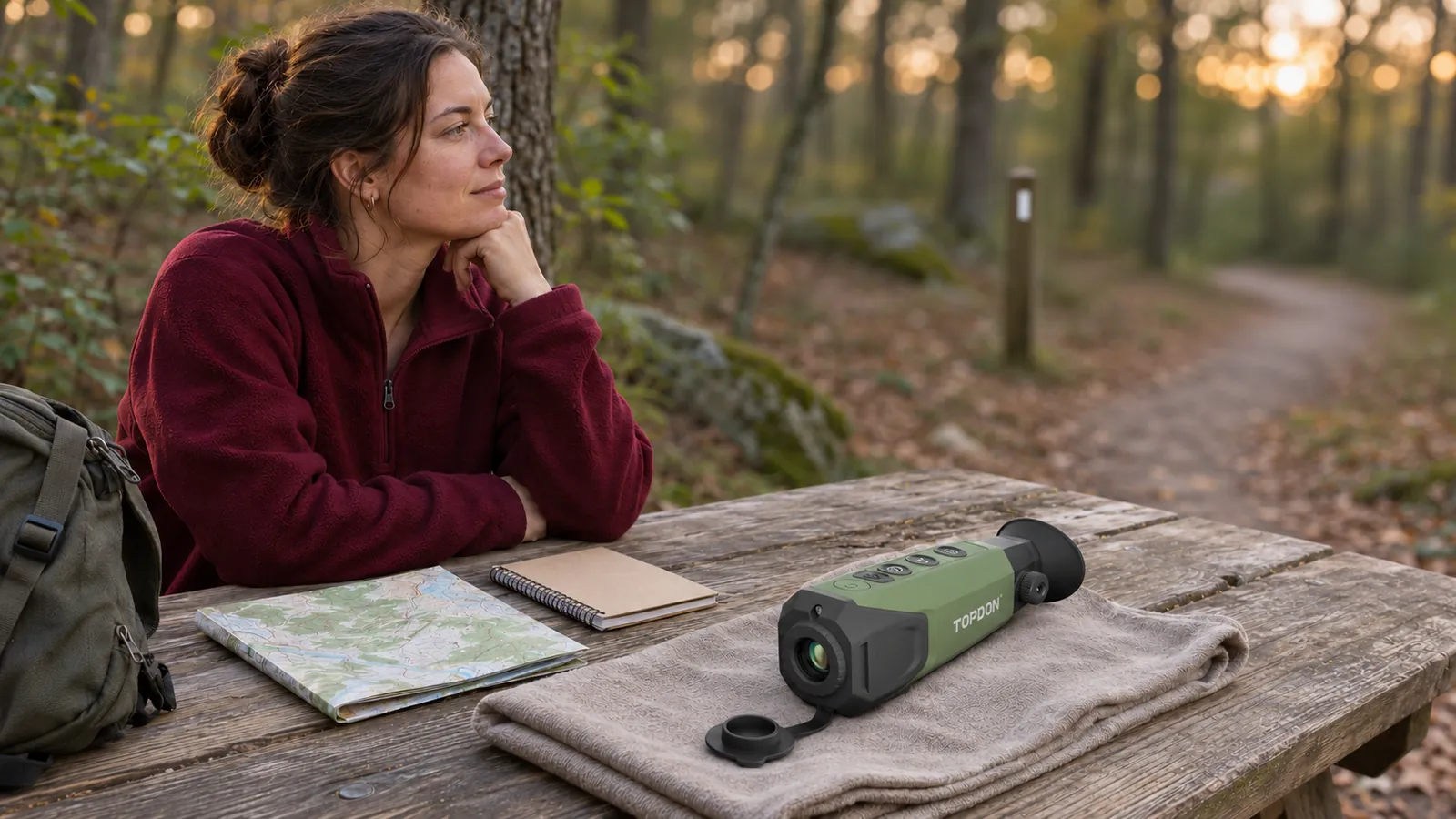
The TOPDON TS004 thermal imaging monocular, available through OSelect, provides a concrete example. Its published specifications include a native infrared resolution of 256 × 192, a 50 Hz refresh rate, and a 13 mm lens. Its standalone eyepiece and optional wireless phone connection offer different ways to view the same equipment's output. TOPDON is the product manufacturer; availability through Olight does not change that attribution.
Write down what would make the purchase useful before comparing numbers. For a shared outing, that might mean being able to explain the view without repeatedly passing the eyepiece. For an occasional user, it might mean straightforward charging and a comfortable view with glasses. Keep the desired outcome specific enough that a feature can be connected to it, rather than collecting the largest number in every column.
| Buying question | Specification or feature to examine | Practical limitation to retain |
|---|---|---|
| How much original image information is available? | Native infrared sensor resolution | Enlarged output does not create more native measurements |
| How often does the picture update? | Refresh rate | More updates do not reveal details hidden from the sensor |
| How much scene fits in the view? | Lens and field of view together | Focal length alone is incomplete across different sensor designs |
| Can the user see the display comfortably? | Eyepiece and diopter adjustment | Display adjustment is distinct from camera focus |
| Can someone else view or save the result? | App connection, local storage, and transfer | Phone power, compatibility, and file handling add requirements |
| Is the complete outing supported? | Charging equipment, protective storage, and ordinary lighting | The monocular cannot establish a safe walking route |
Understand what a thermal picture represents
Thermal viewing uses a different part of the electromagnetic spectrum from ordinary visible-light viewing. NASA's explanation of infrared imaging describes instruments detecting infrared radiation emitted by warm objects. The displayed result is an interpretation of the radiation reaching the instrument. It is not a normal color photograph with the darkness removed.
This distinction matters when a familiar-looking outline appears on the screen. A bright patch is information to consider, but its brightness is not a label identifying a particular object. The surroundings, the visible portion of the surface, and the available detail still matter. Keep descriptions modest: an uncertain warm shape remains an uncertain warm shape until other appropriate information establishes more.
The TS004 manual specifically states that it cannot detect objects underwater, through glass, or through a wall. That makes a closed-window viewing plan a poor substitute for understanding the device. A clear window to the eye is not proof that the thermal channel sees the same scene through it. Plan an appropriate permitted observation location instead of interpreting a confusing image through a barrier as equipment failure.
Use this boundary when deciding whether thermal is the right category at all. If the actual need is reading a sign, seeing a printed color, or checking where a foot can land, ordinary visible-light observation may answer the question more directly. Thermal adds another view; it does not replace every other way of understanding a place.
Native resolution and enlarged output answer different questions
Native resolution describes the sensor's original image grid. For the TS004, the published infrared resolution is 256 × 192. Keep that specification separate from the size of the screen displaying the result, a saved file's dimensions, or an app's enlarged presentation. A larger picture can be easier to look at without containing proportionally more original scene information.
The manual lists magnification settings from 1X through 8X. Enlarging the displayed view can help a user inspect the information already present. It cannot establish fine features that were never resolved in the original image. If an outline remains ambiguous, making it fill more of the screen should not be treated as independent confirmation of what it represents.
This is also a useful way to compare listings. Ask whether a resolution claim refers to the infrared sensor, a processed image, a display, or a recording output. Those may all be legitimate specifications, but they describe different parts of the image chain. Compare the same category across products before paying more for a larger figure that may describe only the output presentation.
For a buyer, the benefit of adequate native information is less dependence on guessing from a coarse shape. The limit is that no single pixel count guarantees a particular identification in every setting. Avoid selecting a product around an assumption that any object visible on the display will also be recognizable. Define what you need to understand, and ask the seller which published evidence supports that specific expectation.
Read the lens and field of view together
The TS004 manual lists a 13 mm focal length and a field of view of 13.5° × 10.1°. Focal length describes the lens, while field of view describes the angular extent of the scene presented by the imaging system. Reading both helps prevent a common comparison error: assuming that the same focal length produces the same view in equipment with different sensors.
The practical question is how much context the view preserves. An observer may want to understand where an interesting patch lies relative to an obvious landmark, rather than seeing an isolated enlarged area with little surrounding information. Consider that need when evaluating demonstrations. A picture tightly framed around a subject does not show how easy it was to understand the wider scene.
A wider view and a more enlarged presentation offer different conveniences. Neither should be called universally better without stating the task. Keep the comparison tied to the intended observation point and the type of information being sought. Do not turn a preference for one framing into a claim that another device has better overall image quality.
The manufacturer's longest detection claim is also separate from the question of understandable detail. A published distance should be read with its stated conditions and meaning. It should not become a promise that a buyer can identify any small object at that distance. For an uncertain view, the practical response is to retain the uncertainty, rather than moving into an inappropriate area to make the purchase seem more capable.
Refresh rate improves the viewing experience within its limits
A refresh rate describes how often an image updates. The TS004 is specified at 50 Hz. That figure is relevant to how continuous the presentation can appear while the view changes. It is a different property from native resolution: a display may update frequently while still showing limited original detail.
For ordinary viewing, continuity can make the equipment less tiring to follow visually. It can also make it easier to discuss what is changing in the picture without relying on one frozen frame. Those are useful viewing benefits. They do not establish the nature of an unclear object, remove an obstruction, or turn an enlarged patch into a detailed optical photograph.
When comparing examples, ask whether you are watching the monocular's own display, a phone's live view, or a finished recording. The connection and playback arrangement are additional parts of the experience. A product specification for the thermal instrument should not automatically be treated as a promise about every phone, network state, editing program, or online video player.
Keep comfort in the decision as well. A user who dislikes the eyepiece position will not solve that problem by choosing a refresh-rate number alone. Evaluate the complete viewing arrangement: readable display, relaxed posture, a suitable observation location, and a way to stop looking at the screen when attention needs to return to the surroundings.
Separate camera focus from eyepiece adjustment
The TS004 manual identifies its infrared camera as fixed focus. It also describes a diopter adjustment knob that optimizes the sharpness of the image seen through the viewfinder. These are separate functions. Turning the diopter changes the viewing adjustment; it does not convert the camera into a lens with adjustable focus on the scene.
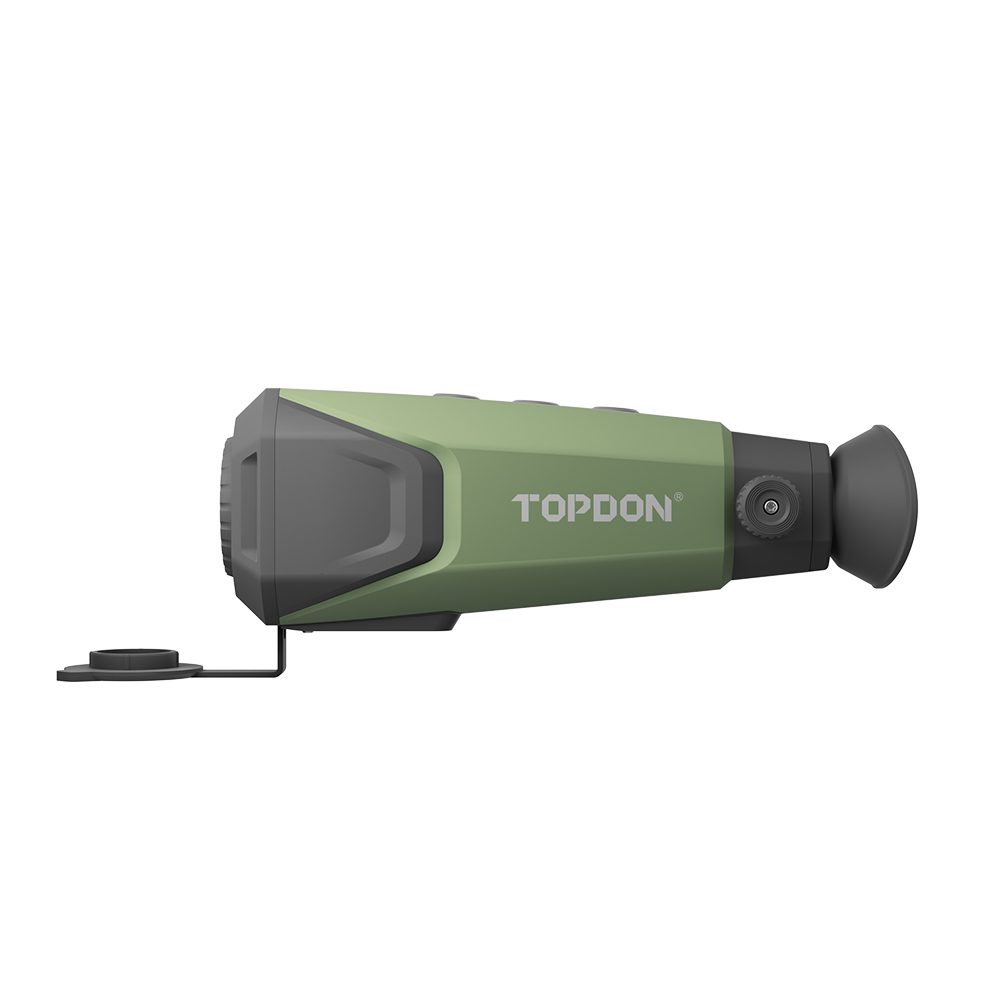
Official TS004 side view: the eyecup and diopter knob sit at the rear, separate from the front housing.
This distinction can save a buyer from troubleshooting the wrong part of the system. If displayed information is uncomfortable to read, the eyepiece arrangement deserves attention. If the scene itself contains little usable detail, repeatedly changing the viewing adjustment will not necessarily reveal missing information. Keep the source of the difficulty clear before concluding that more adjustment is always the answer.
Comfort also depends on the person using the equipment. Consider eyewear, how naturally the eyecup meets the face, and whether another adult can use the same device without an awkward handoff. A diopter setting comfortable for one user may not be comfortable for the next. Leave time for the recipient to establish a readable view rather than assuming both people see the same thing immediately.
Before buying, ask how the actual eyepiece and adjustment work with your usual eyewear. A specification sheet cannot settle every fit question. An appropriate opportunity to inspect the equipment or a clear return policy may be more valuable than another decorative feature. The aim is a viewing arrangement you can use calmly, without treating discomfort as something that should be endured to justify the purchase.
Color palettes organize the display rather than identify objects
The TS004 manual describes five pseudo-color palettes: Bird, White Hot, Black Hot, Red Hot, and Fusion. These change how the image information is presented. A palette can make a display easier for a particular user to interpret, but its name is not a guarantee about what the device has identified.
Choose a presentation that helps you understand the relevant contrast without making every colorful patch seem significant. A visually dramatic image can attract attention while making it harder to describe exactly what is known. When sharing a record, state which palette was used so that another person is not left guessing why a surface appears bright, dark, or colored.
The manual's Red Hot description is especially useful for avoiding a misleading conclusion: it assigns red to the hottest portion of the image. Red is therefore not a universal alarm label or a diagnosis. Do not read a palette color as proof of a hazardous temperature, an animal's condition, or the identity of an object. Those questions need appropriate independent information.
For the purchase decision, treat palette choice as a readability feature. It may help different users find a presentation they can follow comfortably. Keep the native sensor specification and the limits of the scene in view, however. A larger palette menu does not compensate for a viewing arrangement or image detail that fails to meet the actual task.
Decide whether phone sharing solves a real problem
The product description supports a wireless connection through the TopInfrared app for live monitoring and recording. That can be useful when another adult wants to see the display without taking the monocular away from its user. It can also make a discussion easier by giving both people a shared view rather than relying on a hurried verbal description.
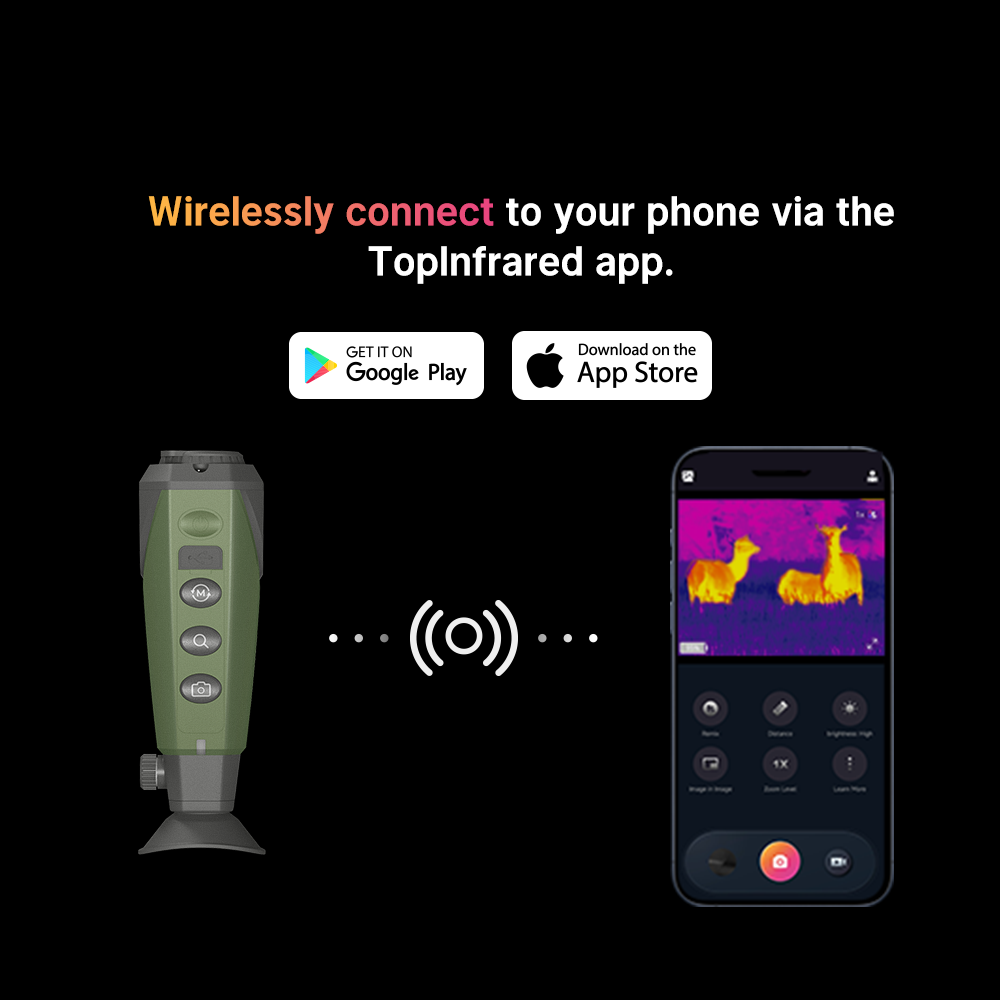
Official TopInfrared connection illustration with a manufacturer-supplied thermal-view example; app and phone requirements still need to match the actual setup.
The convenience comes with preparation. Confirm that the actual phone can install and run the current app, and establish the connection before relying on it during an outing. The saved manual lists minimum operating-system versions, but an older minimum is not a guarantee about the current app, every handset, or future updates. Check the current software requirements for the phone you intend to carry.
Wireless viewing also uses a device needed for other jobs. A phone may hold directions, contact information, and the means to call for assistance. Decide whether keeping its screen active for shared viewing is worthwhile for that outing. One person using the standalone eyepiece may be a simpler arrangement when phone power is limited or sharing adds little practical value.
Separate the app connection from permission to record. Keep other people, neighboring private areas, and personal information out of unnecessary recordings. A useful shared view explains the observation relevant to the outing. It should not expand casually into recording everything the equipment happens to show.
Save files that another person can interpret
The manual lists internal storage and describes saving photographs and videos on the TS004. It also identifies the USB-C port for charging and file transfer using the supplied USB-A to USB-C cable. These details matter if keeping a record is a reason for buying the device. A recording feature is useful only when the files can be found and understood afterward.
A short note can preserve context that the image alone lacks. Record the general setting, the purpose of the observation, and any uncertainty that remained. Avoid attaching a confident object label merely because the file needs a name. If the image shows an unresolved shape, describe it that way rather than allowing the filename to become an unsupported conclusion.
Check the transfer arrangement before depending on it. Confirm that the intended computer has an appropriate connection and that the actual cable supports the required task. Keep the original files when sharing a resized copy, and distinguish a later edit from the original record. These are ordinary file-management decisions, not additional imaging capabilities.
Ask how much recording is actually useful. Saving a relevant clip and a clear note may be easier to manage than returning with many files and no explanation. The practical value comes from preserving an observation accurately enough to discuss, not from accumulating recordings that appear more conclusive than the information they contain.
Budget power for the instrument and the rest of the outing
The current product description lists a 5000 mAh battery and operation up to eleven hours. The phrase up to matters. Treat the published maximum as a planning input, not a guarantee for every battery condition, temperature, wireless connection, recording pattern, or combination of functions. A sensible outing leaves room for the actual equipment and circumstances.
The supplied cable is USB-A to USB-C, and the manual describes charging through the monocular's USB-C port. Include a compatible USB power source in the equipment plan. Owning a collection of cables is not the same as having the appropriate cable and source together when needed. Keep that small charging set with the device so that preparation does not depend on finding parts elsewhere.
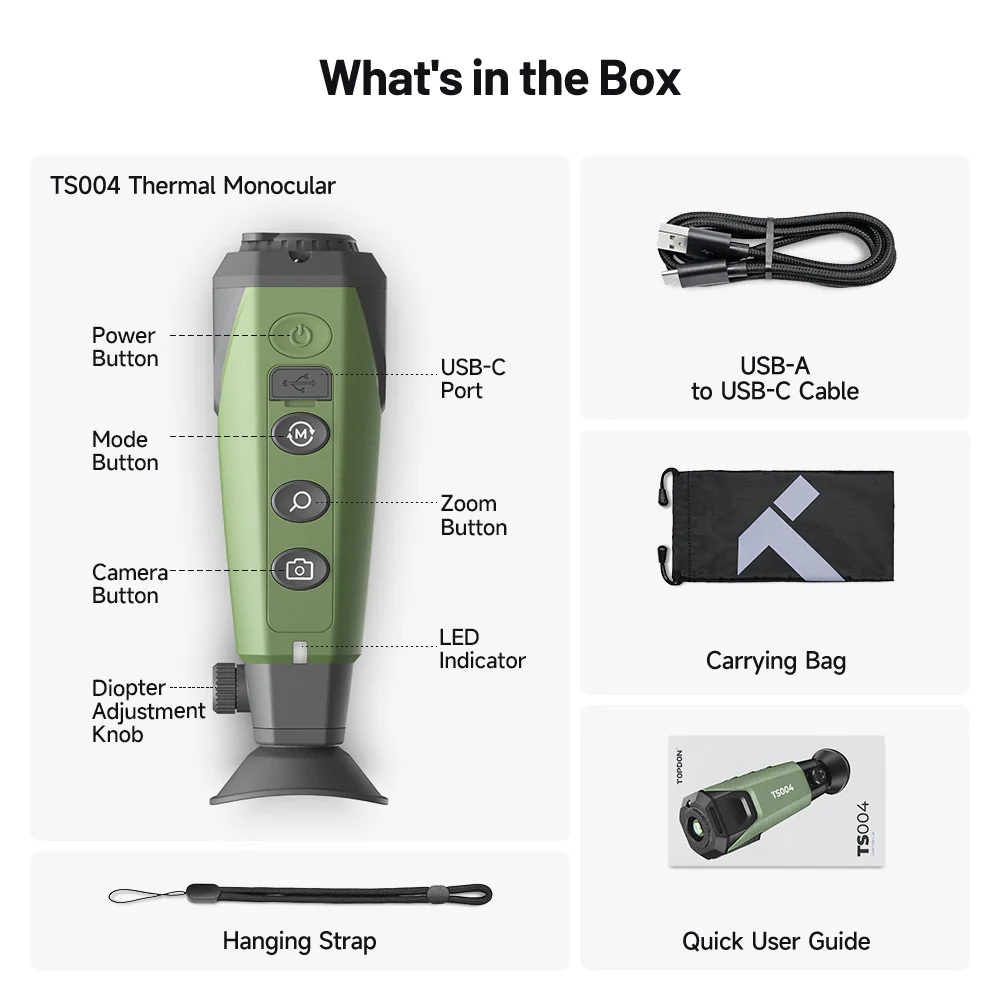
Official TS004 package illustration identifying the USB-A to USB-C cable, carrying bag, hanging strap, and quick user guide.
Divide the power budget by purpose. The monocular supports thermal viewing; the phone supports communication and any optional app use; ordinary lighting supports seeing the immediate environment. One battery percentage should not stand in for the readiness of the complete group. Check each item needed for the intended outing and reduce optional functions when they compete with more important communication needs.
For occasional use, storage habits matter as much as the largest runtime claim. Put the device away with its protective accessories and a clear charging routine. Before the next outing, verify readiness while there is still time to charge it. A technically capable product is less useful when it arrives with an uncertain battery state or a missing cable.
Keep ordinary illumination independent of thermal viewing
The TS004 contains a separate LED flashlight as well as the thermal camera. The manual's product overview identifies them as different components. That is an important distinction for a buyer: the thermal channel receives information, while the LED provides visible illumination. The presence of both does not make the thermal picture a complete substitute for seeing the immediate surroundings normally.
A separate headlamp can be appropriate when ordinary lighting needs to remain available while the monocular is put away. Choose that light around the actual route and the user's comfort, including where its beam goes when the head turns. Its purpose is practical visibility for people, not making a thermal image more definitive.
An existing rechargeable flashlight may already cover the same ordinary lighting need. Consider what is owned before adding another purchase. The useful question is whether the light, charging equipment, and person responsible are clear. A second person should not have to wait for the thermal device to change roles before receiving the illumination needed for a routine task.
Stop viewing before moving through an uncertain area. Return attention to the actual surroundings and use appropriate ordinary illumination. An interesting display can absorb attention, while a narrow electronic view leaves other information outside the frame. Keep observation and movement as separate tasks rather than treating the monocular as a walking aid.
Match protection claims with careful handling
The published IP67 rating and silicone exterior are relevant to an outdoor product. They do not make deliberate soaking or careless storage a useful preparation method. The manual also cautions users to keep the device away from water, protect the lens, and avoid disassembly. Read the protection rating together with those instructions instead of allowing one specification to cancel the handling guidance.
Protect the optical surfaces when the equipment is not being used. The manual warns against touching, scratching, striking, or prying at the lens. Keep the monocular in its storage arrangement rather than loose among keys or gritty tools. If the view becomes poor, follow the manufacturer's care guidance instead of rubbing the surface with whatever material happens to be available.
The manual also warns against pointing the monocular at the sun or other strong energy sources for a long period. Treat that as an equipment-care boundary during daytime preparation as well as outdoor use. A thermal instrument is not an invitation to inspect intense sources casually, and a durable-looking housing does not establish that every optical exposure is harmless.
For wildlife viewing, National Park Service guidance emphasizes checking the park's distance rules, avoiding disturbance, and moving back if animals approach. Follow the requirements for the actual place and activity. The equipment's ability to show an interesting shape does not authorize entering another property, approaching an animal, or changing an approved outing into something else.
Ask for a demonstration that answers your buying question
When a seller offers sample images, ask which device, original sensor setting, magnification, and viewing arrangement produced them. Find out whether the example is a direct saved file, a photograph of an eyepiece, or a phone recording. Each can help explain a product, but they should not be treated as interchangeable evidence about the original image. Keep any explanation with the example when comparing it later.
Bring the practical question back into the conversation. If comfortable viewing is the concern, an enlarged promotional picture does not settle eyepiece fit. If sharing is essential, ask to understand the actual connection and file-transfer arrangement. If an accessory is needed for your intended setup, verify the selected package rather than assuming a photograph means every pictured component is included. That can prevent a purchase that appears complete but still needs an important part.
Compare like with like before deciding that one example is clearer. Different scene content, display sizes, and magnification settings can change the impression substantially. Ask what remains different when those details are understood. A seller who can explain the source and limits of an example is providing more useful information than an unexplained impressive image. Keep unanswered questions on the purchase list instead of filling the gaps with a favorable guess.
Frequently asked questions
Make the purchase decision with the complete setup in view
Before committing, write a short comparison in your own terms: the original image information, comfortable viewing arrangement, sharing requirement, file-transfer method, charging parts, ordinary lighting, and protective storage. Mark any unanswered question for the seller. A clear answer about one necessary function is more valuable than an unsupported assumption made to complete the comparison.
Choose the device whose documented features fit the intended outing and whose limits you can work within. Keep uncertain observations uncertain, respect the setting, and preserve the information another person would need to understand a saved view. That produces a more useful purchase than selecting equipment around an impressive label that never explains what the buyer will actually be able to do.
Changelog
- November 18, 2026: Product information and buying guidance reviewed.