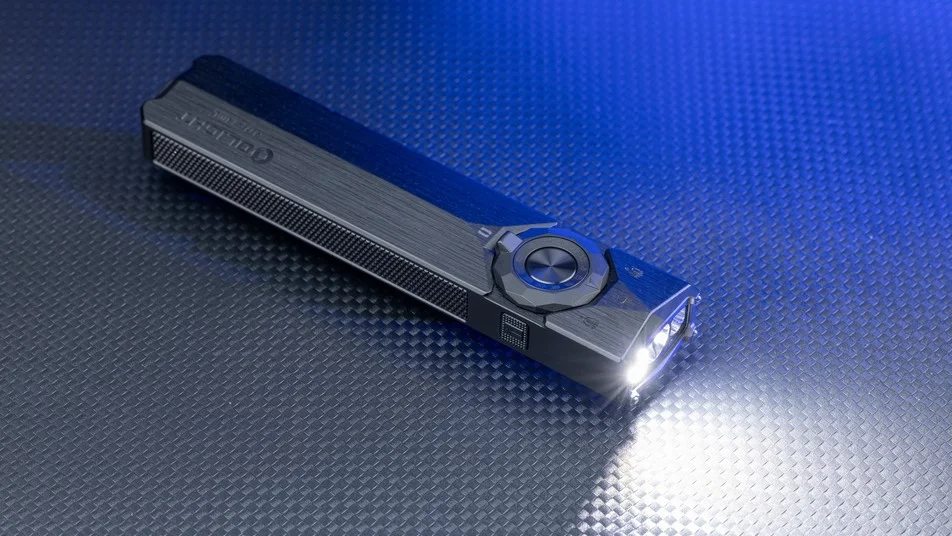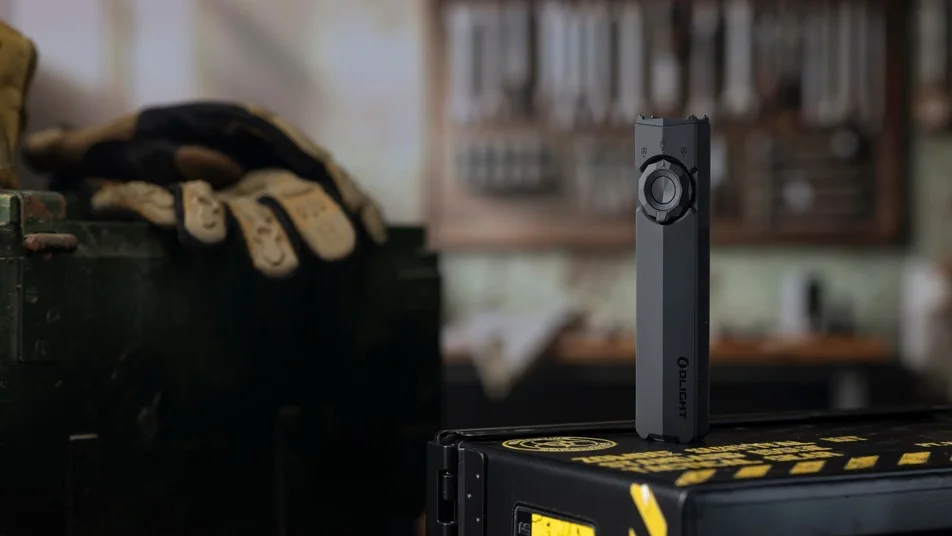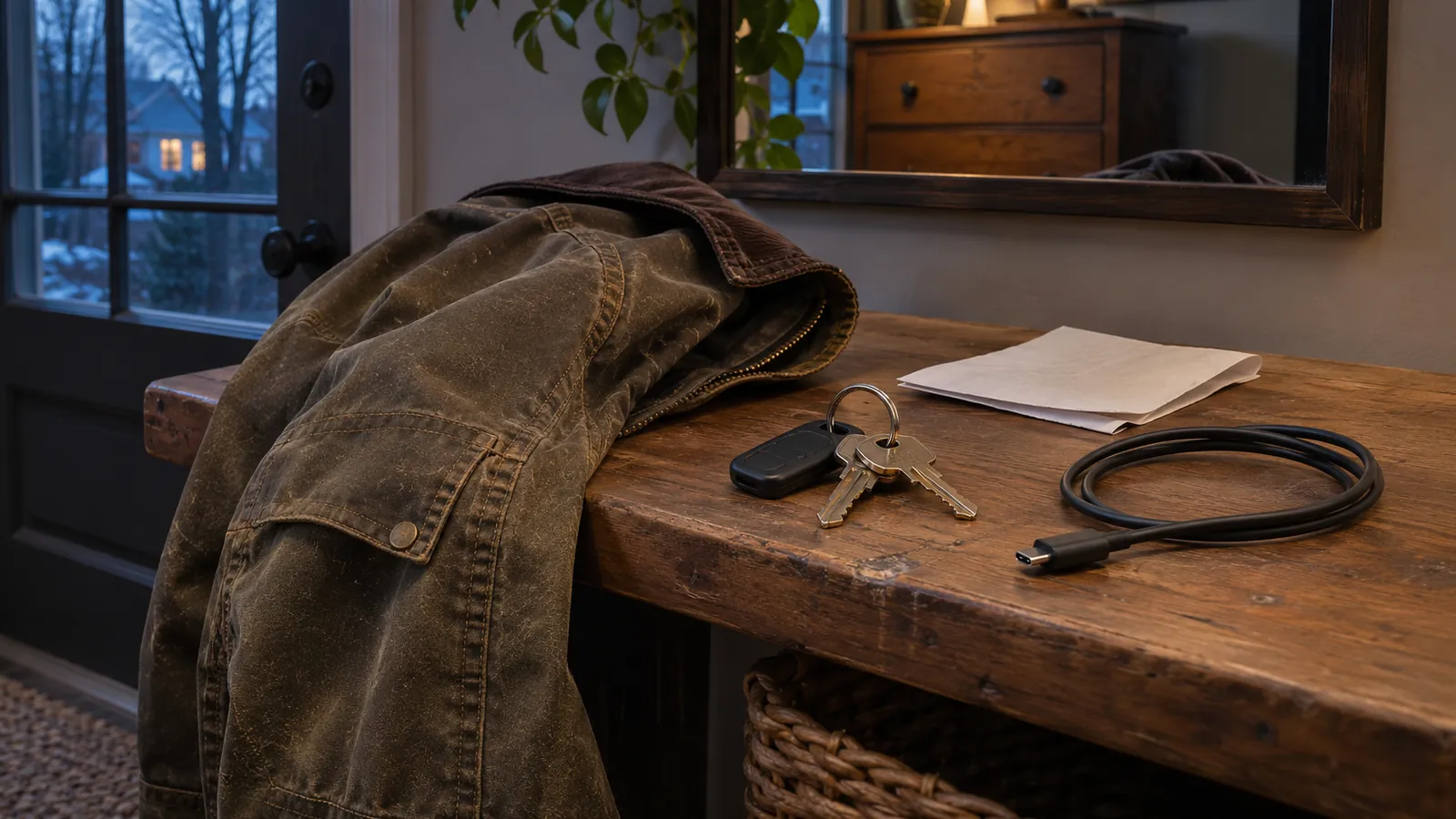
TL;DR: The Olight Baton 4 Pro costs $69.99 at its regular US list price in Matte Black Cool White. The premium buys two charging options, separate everyday and high-output controls, a 3,500 mAh battery, and useful status indicators. A basic USB-C light can still be the better buy for brief, close-range jobs.
📋 Table of Contents
- 1. What the $69.99 Baton 4 Pro price includes
- 2. Is the Olight Baton 4 Pro worth the money?
- 3. USB-C and magnetic charging at home and on the road
- 4. How long will the Olight Baton 4 Pro last?
- 5. Pocket weight, switch reach, and usable beam
- 6. Why does Olight have a bad reputation?
- 7. Compare the complete setup price
- 8. FAQ
What the $69.99 Baton 4 Pro price includes
| Buying decision | Baton 4 Pro | What to check on a basic USB-C light |
|---|---|---|
| Charging | Direct USB-C and Olight MCC magnetic charging | Whether it charges with the cable and power source you already carry |
| Controls | Side switch for everyday brightness, tail switch for High and Turbo | Whether you can reach a useful low or middle setting without cycling |
| Carry | 111 mm long, 114 g, with a pocket clip | Total carry weight with battery, plus clip position |
| Light and runtime | 1,600 lumens peak, 200 m rated beam distance, 3,500 mAh battery | Output and runtime in the mode you would actually use |
The $69.99 figure is the regular US list price for Matte Black Cool White, checked November 20, 2026. The current checkout price can change with the finish and any promotion. If you're comparing two carts, match the finish, include the parts needed for both lights, and check shipping and tax before you decide. A discount can change the gap without changing the light.
A basic USB-C EDC light here means the rechargeable pocket light you already own or the lower-priced candidate in front of you. USB-C describes one part of the charging setup. It tells you very little about the beam, the battery, or the controls. The buying comparison works whether your basic light has one switch or two. Use its published specifications and what you can see on the light itself.
Think of the familiar trip to the garage after dinner. A tidy, inexpensive light that fits beside your keys may be all you need to find the correct plug and come straight back. A longer walk, a poorly lit storage room, and a job where one hand is holding a panel open add different demands. The price makes more sense when a single pocket light covers several of those jobs in an ordinary week.
Write down the last three times you reached for a flashlight. Include where you kept it, what the other hand was doing, and when you charged it last. If all three entries read “drawer, indoors, ten seconds,” a second charging method probably ranks below an easy-to-reach low setting. If the entries include long checks, a bag you carry daily, and a dead light on the way out, the hardware starts to earn its place.
Is the Olight Baton 4 Pro worth the money?
The Baton 4 Pro is worth considering when you carry a flashlight most days, do work that lasts longer than quick indoor checks, or need to charge at a fixed spot and with a cable on the road. Its features help most when they simplify the same chore several times a week. A light that stays home while you carry the inexpensive one every day earns very little of its premium.
Picture the end of a dog walk when you need to find the gate latch, spot a dropped bag near your feet, and check a dark section of fence before you leave. Those tasks ask for different amounts of light. The side switch gives you access to the regular brightness settings. The textured tail switch offers a separate route to High and Turbo. Decide which of those actions you repeat before assigning a dollar value to the extra control.
A buyer who takes care of an apartment building or checks inventory after a shop closes might care more about the midrange settings and the battery indicator. If it takes fifteen minutes to check a storeroom, a loading area, and two doors, the ability to finish the circuit and glance at the state of charge is useful. Leaving the light in a known charging spot for the next shift can save more time than any change in peak output.
The basic model still has a strong case for a bedside drawer, borrowed tools, or anyone who wants the simplest possible interface. Look for a quiet low mode, a charging port that's easy to reach, and a size the intended user can actually grip. A family member who only needs to check a fuse label may be happier with a switch that works the same obvious way every time.
When replacing a light you already own, try the coin test before spending anything. Switch the old light on in a dim room and find a coin or a connector on the floor. Then walk to the storage space you actually use and see if you can read the label farthest from the door. Repeat both tasks after carrying the light in your usual pocket.
This quick check is about fit and access. It will tell you more about your personal upgrade than a comparison at a distance you'll never use.
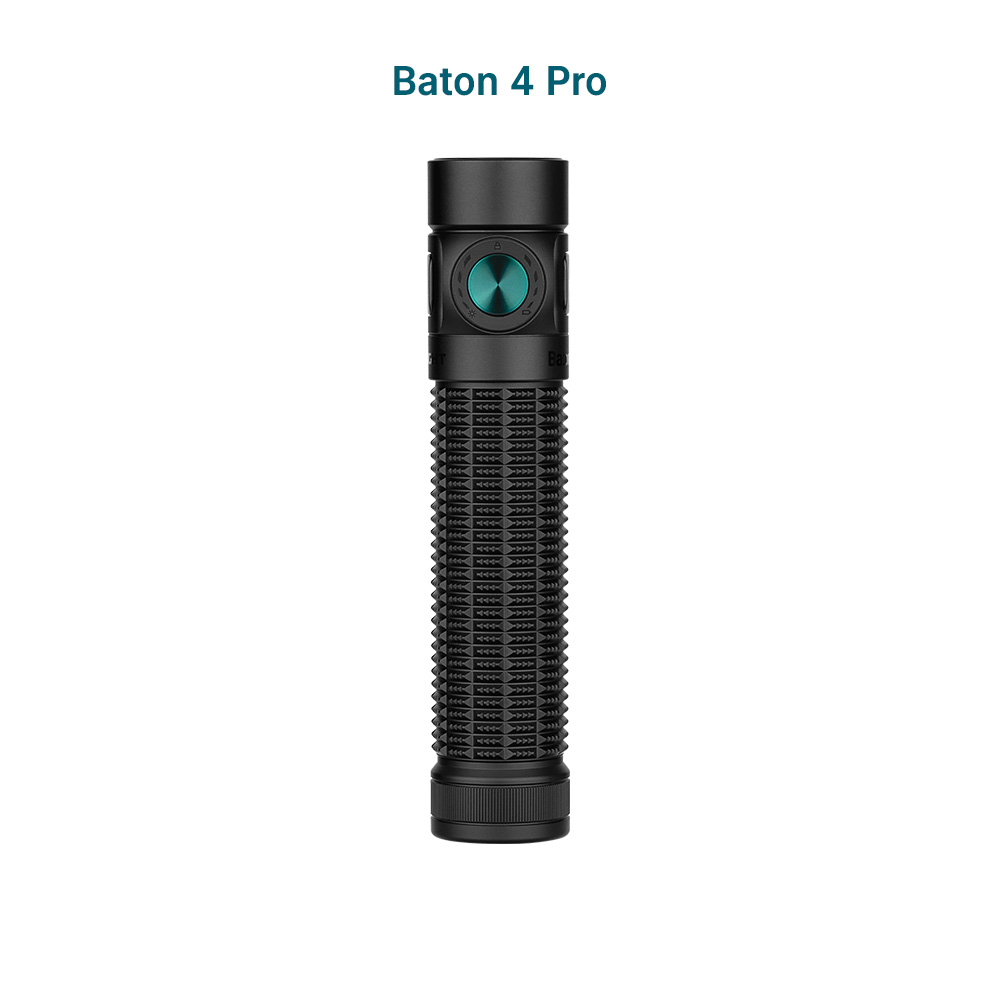
Two switch locations also change how a light is handed off. At a shared workbench, leave it where everyone can pick it up by the body and reach the side button. A quick introduction covering normal brightness and lockout can save accidental bright starts. If the light will live in a communal drawer, a plainly labeled basic model may be easier for someone to use without that introduction.
USB-C and magnetic charging at home and on the road
The Pro has a USB-C port beneath a textured ring at the tail. Rotate the ring to uncover the port and use a USB-C connection for direct charging. Olight also supports MCC magnetic charging at the tail. The magnetic setup makes sense where the flashlight returns to the same counter, bench, or locker. Direct USB-C is available when that charging station is miles away.
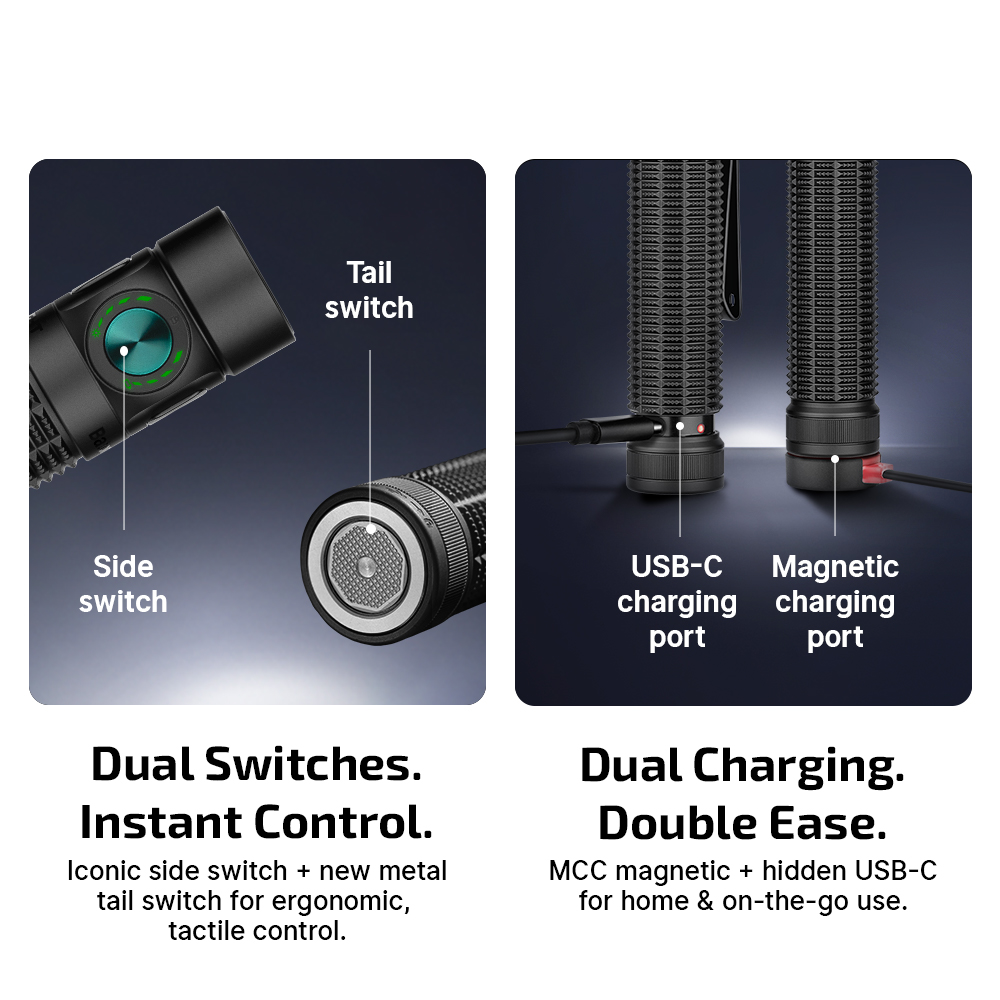
The Olight gallery shows the separate switches and the two charging connections on the black Baton 4 Pro.
Choose a home charging spot that matches where you set the light down now. An entryway near the keys works for a pocket light. A shop light might go near its owner's tool bag, outside the space where other gear piles up. It is easier to put the flashlight on charge after a long job if the charging spot is visible and the battery indicator is easy to check. At a shared station, leave a clear spot for the light so another person can find it before their shift.
For travel, plug the light into the cable and power source you actually plan to pack while you're still at home. The shape of a connector alone is a poor packing checklist. Confirm the charging indicator responds, check whether a deep plug housing fits the recess, and give the light time to start charging before you unplug it. Then decide if the same cable will be free when the flashlight needs it. A family sharing outlets in a small hotel room knows this part of the trip already.
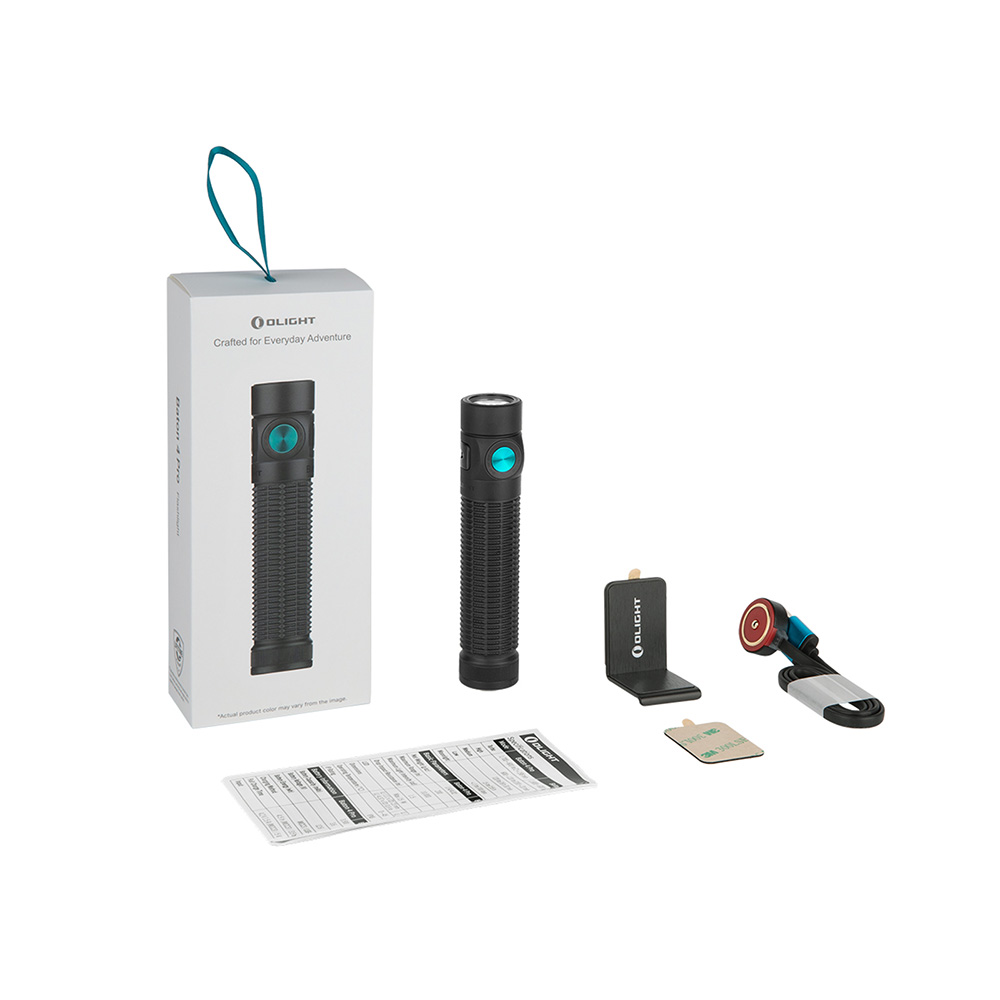
The Matte Black gallery photo shows the boxed light, magnetic cable, L-stand, and paperwork.
The Pro's exact SKU gallery shows the light, an L-stand, a magnetic charging cable, and paperwork. The product listing is the place to confirm the contents of the package you select. In particular, count a USB-C cable or wall adapter in your setup if you don't have a suitable one and the listing doesn't include it. Apply the same check to a basic model. One inexpensive item added to either cart can alter a close decision.
Both charging routes feed the same cell. You still need time and an available power source after a long outing, and a power bank usually has several other jobs on a trip. At home, try making the handoff from pocket to charger as routine as putting your keys in their dish. On the road, make the charge check part of packing. If your trips run several days, plan how the light will be powered once the first charge is used.
The manual lists about three and a half hours for a full charge by USB-C or about four and a half hours with MCC3. If you get home late and leave early, that difference is useful for picking the charging route. For a light that generally sits on standby at home, placement may matter more than speed. The manual also calls for a clean, dry tail charging port. If the light comes home dirty or damp, check the tail and its port when you set it down.
Before a trip, check the power source as well as the cable. The manual lists 5 V at 1.5 A for USB-C input. If you pack a wall adapter with several occupied ports, try the flashlight while your other devices are plugged in. That check reflects the way you'll use it at the hotel, and it can save you from adding a second adapter you don't need.
For occasional use around home, give a basic light the same fair chance. If it charges from the outlet you already use and shows when it is ready, you may have solved the charging problem for less money. The Pro's extra connection becomes useful when the light has a fixed station on weekdays and shares a travel charger on weekends, or when two people regularly change where it needs to be charged.
How long will the Olight Baton 4 Pro last?
Olight rates the Baton 4 Pro for up to 100 days in Moonlight mode. The Olight manual gives 18 hours and 30 minutes at 120 lumens on Medium. High starts at 600 lumens and drops to 120 lumens later. These are published ratings for the included 3,500 mAh battery. The table shows where the brighter settings change levels.
| Setting | Olight's published information | Everyday job |
|---|---|---|
| Moonlight | Less than 1 lumen for up to 100 days | A brief check of a nightstand or nearby map in a dark room |
| Low | 15 lumens for 155 hours | Reading labels or picking up items close to you |
| Medium | 120 lumens for 18 hours and 30 minutes | A familiar walk or work a few steps away |
| High | 600 lumens for 200 minutes, then 120 lumens for 20 minutes | Longer checks that need more light than Medium |
| Turbo | 1,600 lumens for 2 minutes, then 600 lumens for 198 minutes | A brief look at a farther feature |
If you expect straight-line brightness, the numbers on the package are easy to misread. The same ratings that make the Pro appealing for a regular evening check give you the limits of the comparison. Medium and High have different profiles, and a light with a longer total runtime can spend more of that time at a level too dim for your job.
Start with the minimum light you need to distinguish the subject and ask how long the flashlight can provide it. When the cheaper listing supplies only one runtime, find out which mode it belongs to.
For charge planning, separate short tasks from jobs where the light stays on. A five-minute task and a forty-minute walk can happen on the same day, but they make for different habits. Record the mode you used and the approximate minutes for a few ordinary days.
Look at the indicator before leaving and again when the light comes back. Note longer use on High or Turbo separately. You will get a better estimate of your routine by looking at the pattern over several days than by trying to convert every mode rating into a fixed recharge interval.
There is also a difference between how long the light runs on one charge and how long the rechargeable battery remains useful. Olight's 100-day rating addresses one charge in a specific mode. A calendar lifespan or a promised number of years would require separate evidence for how the cell is used and cared for. If your buying decision depends on repair or battery replacement, check the written instructions and the exact supported replacement for this model. The capacity figure alone doesn't establish which replacement cells it accepts.
Treat the indicator as a useful signal before a job, especially when someone else has been borrowing the flashlight. Start a long check with a charge appropriate to the work rather than trying to finish the evening on the lowest setting. If loss of light would leave you stranded or interrupt critical work, have a working backup that meets the task. A second charged light can solve that problem regardless of what you paid for the first one.
Pocket weight, switch reach, and usable beam
At 114 g and 111 mm, the Baton 4 Pro sits somewhere between a light you leave on a key ring and one you plan to carry in a bag. Consider where it meets your pocket contents. A clip might keep it upright in jeans, while a shallow front pocket lets the head press on the edge when you sit. The size on paper is useful once you match it to clothes you actually wear.
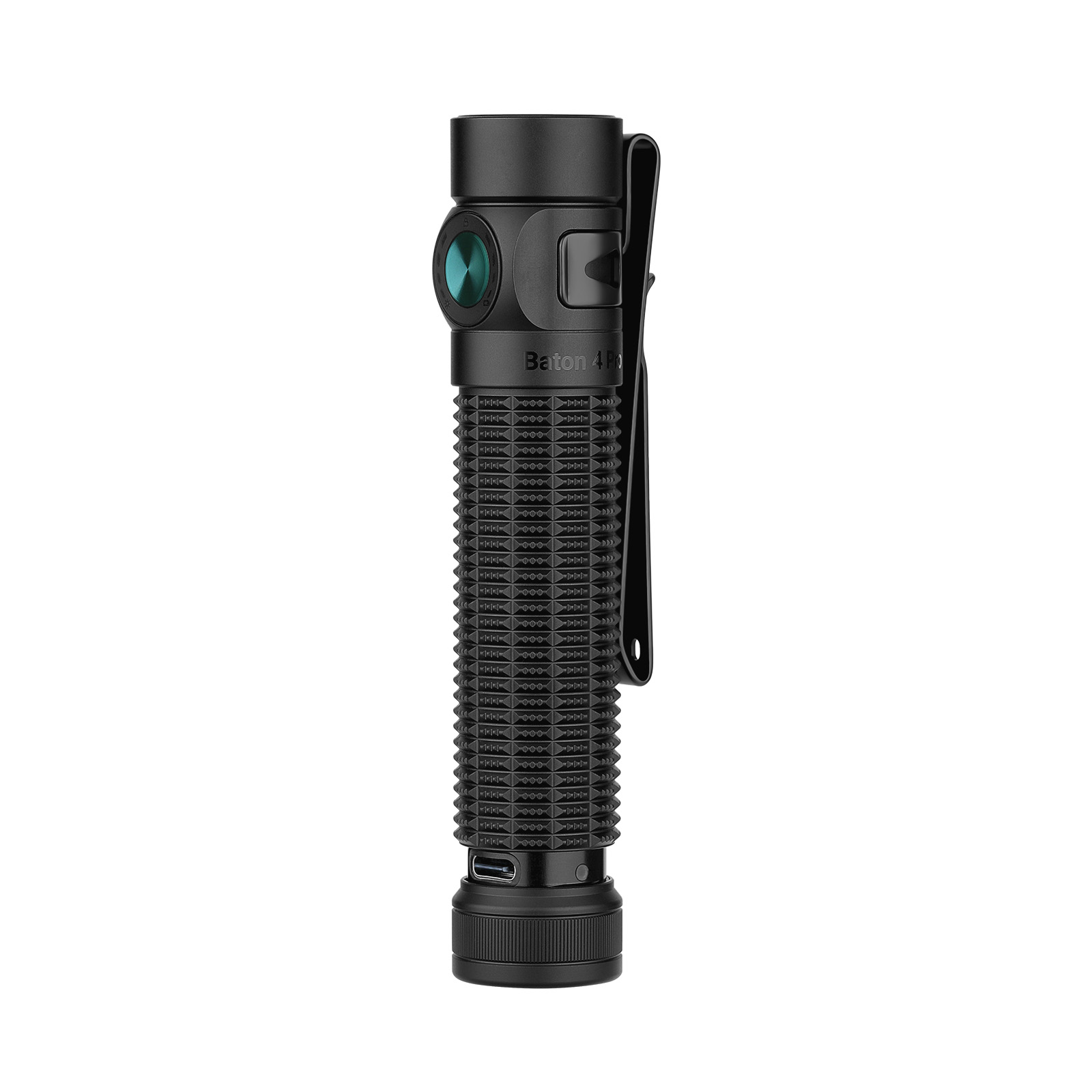
The side view shows where the clip attaches and how far it runs along the body.
If you have a pocket flashlight already, set it on a kitchen scale with its battery and ordinary clip installed. Compare the result with the Pro's listed 114 g. Check length from the face to the tail, then look at what the photos show above the clip. Those are more useful numbers for carry than empty-body weight or the size of the carton.
For an idea of whether a pocket can take the weight, wear a similarly sized and weighted object at home long enough to sit down and climb the stairs.
The side switch has five brightness settings. For close work, see how naturally your finger falls on the side switch when you are holding the other item that occupies your hand, such as a leash or a storage-bin lid. Reserve the tail switch for occasions where High or Turbo is the useful starting point.
If you mainly work near a reflective label or shiny metal, check that you can start with a comfortable level before pointing the light at the item. Glare can hide the exact number you came to read.
The 200 m figure is Olight's rated beam distance. A number on the box doesn't tell you whether you can read a brown tag against a brown fence, especially if your eyes have just come from a bright room. To compare candidates, pick a real feature at the far side of the area you look after. Walk the route and notice where the beam has to show the ground as well as the feature itself.
Useful details at your day-to-day distance matter more than what either product promises at the far edge of its published range.
Consider the carry and beam questions together if you regularly wear a heavier coat. A light that is easy to find in the same outer pocket with gloves on can be worth more than the one with the larger output number.
If you must keep it in a tool pouch with small parts, confirm how to engage lockout first and check the indicator. Store it where a loose object is unlikely to press either switch. A useful new light should require less searching, both before you turn it on and after you turn it off.
At a work counter, check what the beam does when the light is close to something shiny. A lower setting can make a stamped number on a tool easier to read by reducing glare in your eyes. Outside, the same light may need a higher setting to see a dull surface past the edge of a porch. The ability to get those two jobs done promptly is a more realistic basis for comparing brightness controls than the highest number on the box.
Why does Olight have a bad reputation?
A reputation question is easier to answer at the model level. If a review points to a magnetic-only charger, start by checking which light the reviewer used. For the Baton 4 Pro, the exact US listing shows onboard USB-C and MCC magnetic charging. If carrying a model-specific charger is your worry, you can recharge this light directly with USB-C while traveling.
The Baton 4 Pro manual specifies a proprietary battery and says to leave it installed for charging. If you depend on swapping in a spare, confirm which replacement you can obtain before buying this light. Look at written return and warranty terms for the seller you plan to use. If easy battery swaps are your priority, make the supported replacement a buying condition regardless of which brand you choose.
Reviews are useful when they identify the model and the conditions. A story about a charging failure might be describing a different Baton, a damaged cable, or a flashlight that sat discharged for months. A review that gives the product version and shows which cable worked can save you an afternoon. Pay similar attention to praise. A buyer who uses Turbo for a few seconds in a backyard can love a light for different reasons than someone who needs steady output for a long walking route.
The smaller Baton 4 is a good reminder of how easily names can blur. The 63 mm Baton 4 weighs 52.5 g and uses a different charging setup. The 111 mm Baton 4 Pro weighs 114 g and includes direct USB-C charging. Owners of the smaller model should check its controls and accessories separately before assuming that the Pro will behave the same way. The detailed side-by-side covers the sizes, controls, and charging of both. Compare the Baton 4 and Baton 4 Pro
Compare the complete setup price
For a complete setup, write down what you'll buy for each candidate before checkout. Include the selected SKU, any battery the light requires, any cable or power source you lack, and any accessory that genuinely solves a carry or charging problem. Remove optional upgrades from both carts if they have no job. If you're comparing a new light with one you already own, the amount you have to spend to get the old one working is the figure that matters.
For example, if the lower-priced light in your own cart costs $35 and you already have a compatible charger, the Pro's $69.99 regular list price is $34.99 higher before any extras, tax, or shipping. If that cart needs a $10 accessory, the difference narrows to $24.99 under the same assumptions. Those numbers illustrate the calculation. Plug in the actual totals, including the pieces needed to finish the setup. A second charging spot that you never use doesn't get a dollar credit.
| You mostly need a light for | Put your money toward | First thing to verify |
|---|---|---|
| Ten-second checks in a drawer, under a desk, or near a lock | A comfortable low setting and easy access | You can turn it on in the right mode with one hand |
| Repeated evening walks or routine site checks | Runtime at the output you need | The mode rating covers the usual trip and you can check the charge before leaving |
| One light for home and travel | A charging setup you'll actually use | Your usual travel cable charges it and the light has a dependable home spot |
| The smallest everyday kit you can manage | Comfortable pocket size with battery and clip | It stays put when you sit and it's easy to retrieve |
It's worth comparing the purchase with one practical alternative before committing. Someone who needs hands free to sort gear for twenty minutes may benefit more from a headlamp. Someone whose current pocket light works well but always goes missing may need a regular storage spot. If the job calls for a different shape or a much lighter pocket flashlight, compare the candidates by how they are carried and charged.
If both options meet your current needs, think about how you'd replace a missing light. Someone who lends a flashlight to neighbors may prefer a simpler model that's easy to replace. Someone who carries the same light through the week and always returns it to its charging place may get more value from the Pro's extra controls and runtime. That is another reason to budget for the way the tool will be used, along with the price of the tool itself.
FAQ
Changelog
- November 20, 2026: Reviewed the regular US SKU price, product specifications, and buying guidance.