TL;DR: Recharge the light when its approved charging setup is available; replace a cell only when the exact model’s manual allows it. A replaceable cell may itself be rechargeable, and some rechargeable batteries are not user-removable. Identify the model, its permitted power route, and the real charging or replacement point. Keep a second ready light when a task cannot pause.
| If the situation looks like this | Start with this power route | Check before relying on it |
|---|---|---|
| The light returns to a known outlet or USB source between uses | Recharge the light using its specified cable, dock, or charger | The power source and charging method match the exact model |
| The light has an accessible user-replaceable cell | Replace it only with the exact type and chemistry the manual lists | Size, voltage, protection, orientation, and condition all match |
| There is no safe charging or cell-replacement opportunity during the task | Carry or stage a second complete light | The second light is charged or has its own compatible, ready cell |
Choosing a light is only half of a power plan. The other half is deciding how the next useful beam returns after the first one fades, gets left on the wrong floor, or is needed by someone else. That small operational question makes the usual “rechargeable versus battery” debate much easier to answer.
📋 Table of Contents
- 1. Start with the recovery plan, not the battery label
- 2. Rechargeable and replaceable describe different things
- 3. Map the moment the beam becomes unavailable
- 4. Choose the route by use pattern
- 5. What the exact Olight examples allow
- 6. A practical comparison of the work each route creates
- 7. Compare costs without pretending to know battery life
- 8. Charging and battery safety are model-specific
- 9. Add a second light when the task cannot wait
- 10. Keep a backup ready without overcomplicating the routine
- 11. What is the downside of rechargeable batteries?
- 12. Why does it say not to use rechargeable batteries?
- 13. What is the best rechargeable flashlight for home use?
- 14. Frequently asked questions
- 15. A one-minute decision checklist
- 16. Bottom line: match the exact model to a repeatable power route
Start with the recovery plan, not the battery label
A buyer comparing a rechargeable flashlight with a replaceable-cell model is often trying to solve a practical problem: how much effort will it take to get light again when the current session ends? The answer depends on the exact product and the moment power is needed. A light that is easy to recharge at a desk may be awkward to recover during a long shift. A light with a replaceable cell may still be unavailable if the correct spare is at home, stored loose, or not allowed by that model’s instructions.
Think in routes rather than categories. Route one is recharge the same light. Route two is replace the exact user-removable cell. Route three is switch to another ready light. The third route is not a consolation prize. In a household, vehicle, workshop, or travel bag, another complete light can keep a job moving without opening equipment or guessing about battery fit. The routes can coexist: a rechargeable light can be backed up by a replaceable-cell light, and a replaceable-cell light may use a rechargeable cell if its own documentation allows it.
The decision starts with four facts: the model name, the power source the manufacturer permits, where charging or replacement can happen, and the duration or importance of the task. None needs a lab. A manual, the exact product page, and a quick check of the place where the light will live can answer them. If the model or battery identity is uncertain, stop at identification; do not infer compatibility from a familiar shape or a number printed on the cell.
A replaceable cell is a design feature, not a promise that every owner should open the light or that every common cell will fit. Likewise, “rechargeable” describes a way to replenish energy; it does not tell you whether the battery is user-removable, what charger it needs, or whether charging during use is allowed. Those details belong to the individual model’s instructions.
Rechargeable and replaceable describe different things
The words are often treated as opposite ends of one scale. They describe separate questions. Rechargeable asks whether the energy store can be replenished. Replaceable asks whether the device is designed for the user to remove and replace that energy store. A cell can be both rechargeable and replaceable, or rechargeable but not intended for user removal. Some replaceable cells are primary cells designed for one use; other exact models list both primary and rechargeable chemistries.
Olight’s i3E EOS is a useful example of that overlap. Its official manual lists AAA alkaline and NiMH/L92 batteries. In that exact model, the permitted route can therefore be a primary alkaline cell or a rechargeable NiMH cell. The example does not make every AAA light compatible with NiMH, and it does not authorize a 10440 lithium-ion cell in the i3E EOS. The model’s own manual controls the answer. A few millimeters of apparent fit or a similar voltage label is not an adequate substitute.
A product with an integrated or proprietary battery can follow a different route. Baton 4 Pro is documented with a custom 3,500 mAh, 3.6 V 18650 battery and USB-C/MCC charging. The applicable manual calls the battery proprietary, says not to remove it for charging, and directs users to the specified charging methods. That is a recharge-the-device design. It is not evidence that the light is sealed, and it is not permission to remove the battery or substitute a generic loose 18650.
This distinction improves comparisons. Instead of asking only, “Which one has rechargeable batteries?” ask: Is charging built into the approved workflow? Can the user replace a cell? Which exact cells are permitted? Does the replacement require a particular protection circuit or size limit? Where will the specified charger be available? A clear answer to those questions is far more useful than a broad claim that one category is always cheaper, safer, or better for emergencies.
Map the moment the beam becomes unavailable
Write down what ends a lighting session in your own routine. It might be a workday ending near a charger, a camping night away from a vehicle, a power outage in a home, or a small light being borrowed by another person. The event matters more than the label. A desk light that can be charged after every shift has a different recovery pattern from a light that must remain ready in a vehicle for weeks.
Use a simple three-column plan: where the light runs, where its approved power returns, and what covers the gap. For example, a small flashlight carried daily may return to a kitchen tray at night. Its recovery point might be a specified charger or, for a model with a replaceable cell, an exact compatible cell stored separately. The gap plan could be a second light kept in a work bag. This plan is useful because it reveals the failure point: perhaps the charging cable is always at the office, the spare cell is loose in a pocket, or nobody knows where the backup light is stored.
For a light that is important to a task, avoid making the whole plan depend on one action happening at exactly the right time. A rechargeable device still attached to a cable is not an available flashlight. A fresh cell in a drawer does not help if it is the wrong chemistry. A backup light with an unknown charge state is an assumption. Give each item a place and a simple owner: the person who uses it returns it, checks it, and follows the product instructions for charging or replacement.
This does not require a household inventory system. A note near the storage location can identify the model and its approved cell, cable, or charging base. For several lights, keep the notes model-specific. “AAA” alone may not be enough if one light allows NiMH while another lists only alkaline, or if another model has special restrictions. Include the product name and a link to its current manual when the equipment is shared among family members.
A second ready light also separates availability from endurance. It does not claim that one battery lasts a fixed number of nights or that a flashlight will hold a specified brightness over time. It gives the user another known tool when the first light needs attention. For a person on a shift, a traveler, or a family walking through a dark house, that practical redundancy may matter more than an abstract battery-category ranking.
Choose the route by use pattern
| Pattern | A recharge-first plan fits when… | A replaceable-cell plan fits when… | A second-light plan helps when… |
|---|---|---|---|
| Frequent short tasks | The specified charging point is part of the return routine | The exact model’s cell is easy to identify and store correctly | The light may be lent or left in another room |
| A long day away from an outlet | The model’s approved charger or power arrangement travels with the user | The manual permits user replacement and the correct spare is carried | Opening the device would interrupt work or is not permitted |
| Home backup | Charging access and periodic readiness checks are straightforward | A documented spare-cell plan is easier for the household to maintain | More than one person may need light at once |
| Shared equipment | Someone is assigned to return and charge the same light | A responsible person can identify, store, and replace the exact cell | Different users may need the light in separate locations |
The table is a planning aid, not a universal ranking. A person who uses a flashlight for several minutes every evening may value a repeatable charging routine. Someone who carries a replaceable-cell light for occasional tasks may value the option to restore it with a compatible spare. A household may choose both and assign them different locations. The best answer is the route that can be followed accurately when the user is tired, in a hurry, or not the person who selected the light.
Frequent use: make charging part of the return
If a light is used often and returns to the same location, charging can become a routine like putting keys in a bowl. Choose a place where the cable or approved charger stays connected to a power source, but keep the light itself stored and charged according to the manual. Avoid a setup that requires searching for a special cable after the light is already depleted. If the device charges by USB-C, confirm that the exact manual names that method; the connector shape alone does not prove that every cable, adapter, or charging behavior is supported.
A recurring reminder can help, but the simpler fix is often physical: keep the specified charging accessory with the light’s home location. Separate cables for different products when they look alike but have different magnetic, dock, or electrical requirements. Labeling a drawer is not glamorous, but it is more reliable than hoping the right cable will be recognized during an outage or late at night.
Infrequent use: make readiness visible
A light used only occasionally can be forgotten between tasks. The plan should say who checks it and what “ready” means for that exact model. Follow the manufacturer’s storage and charging instructions rather than relying on a general battery rule. For a replaceable-cell design, keep compatible cells in their packaging or another suitable protective arrangement, away from loose metal objects. A spare cell and keys do not belong together in an open pocket where contacts can be bridged.
When the light is shared, put the model and cell information next to the storage place. A drawer containing “flashlight batteries” may gradually collect several chemistries, sizes, and states of charge. The note should not imply that all of them are interchangeable. Keep only the cells intended for the identified light, and verify the label and polarity before replacement. If a product uses a proprietary battery that is not meant to be removed, do not turn the drawer into a source of unofficial substitutes.
Travel and work away from charging access
Before a trip or shift, ask whether approved charging is realistically available. A USB port in a vehicle, hotel, or worksite may be occupied, switched off, or incompatible with the model’s instructions. Pack the product’s specified cable or charger when the plan depends on it, and protect it from damage. If the trip will take the light away from its charging point, a second complete light may be simpler than carrying a collection of cells and adapters.
For a user-replaceable model, carrying a spare can make sense only if the manual permits that exact replacement. Keep the cell’s type and polarity legible, avoid mixing used and fresh cells where the instructions prohibit it, and do not transfer a cell between devices merely because the dimensions appear similar. Read the exact product manual before the trip; the departure parking lot is a poor place to discover that a chosen cell is not approved.
What the exact Olight examples allow
| Model | Documented power route | What the evidence supports | Do not assume |
|---|---|---|---|
| i3E EOS | One AAA cell; manual lists alkaline and NiMH/L92 | The exact model can use a listed primary or rechargeable cell | 10440 compatibility or universal AAA chemistry support |
| Baton 4 Pro | Custom 3,500 mAh, 3.6 V 18650 battery; USB-C/MCC charging | Recharge the device by the listed method; follow the proprietary-battery warning | User removal, generic 18650 replacement, or cross-model cell fit |
A replaceable-cell model’s compatibility list belongs to that model alone. Similar size labels do not make two cells interchangeable. That is why a battery number in a comparison article should always sit next to the product name and source that support it.
If shopping for a compact light, start with Olight’s flashlight collection and compare current models. A rechargeable flashlight may still differ in charging interface, user access, and supported power method, so open the exact U.S. product page and manual before choosing accessories. The broad collection page does not establish cell compatibility for a particular model.
i3E EOS: a replaceable cell with a documented rechargeable option
The i3E EOS provides a compact example of why “replaceable” and “rechargeable” should not be treated as opposites. The manual lists AAA alkaline and NiMH/L92. If a user chooses NiMH, the cell is rechargeable outside the flashlight with a charger intended for that cell. The i3E EOS itself is not thereby a USB-rechargeable light. The distinction helps prevent a common misunderstanding: a rechargeable cell in a flashlight does not mean the flashlight contains charging electronics.
The selected Summer Palm finish shown below is an official i3E EOS variant. The product page lists a single AAA cell and the manual explains how to install it. For a power plan, the useful question is not whether a cell is “standard”; it is whether the manual names the exact chemistry and whether the household has a safe, compatible way to recharge or replace it. This model’s simplicity is useful for people who want a small light and are willing to manage its cell separately.
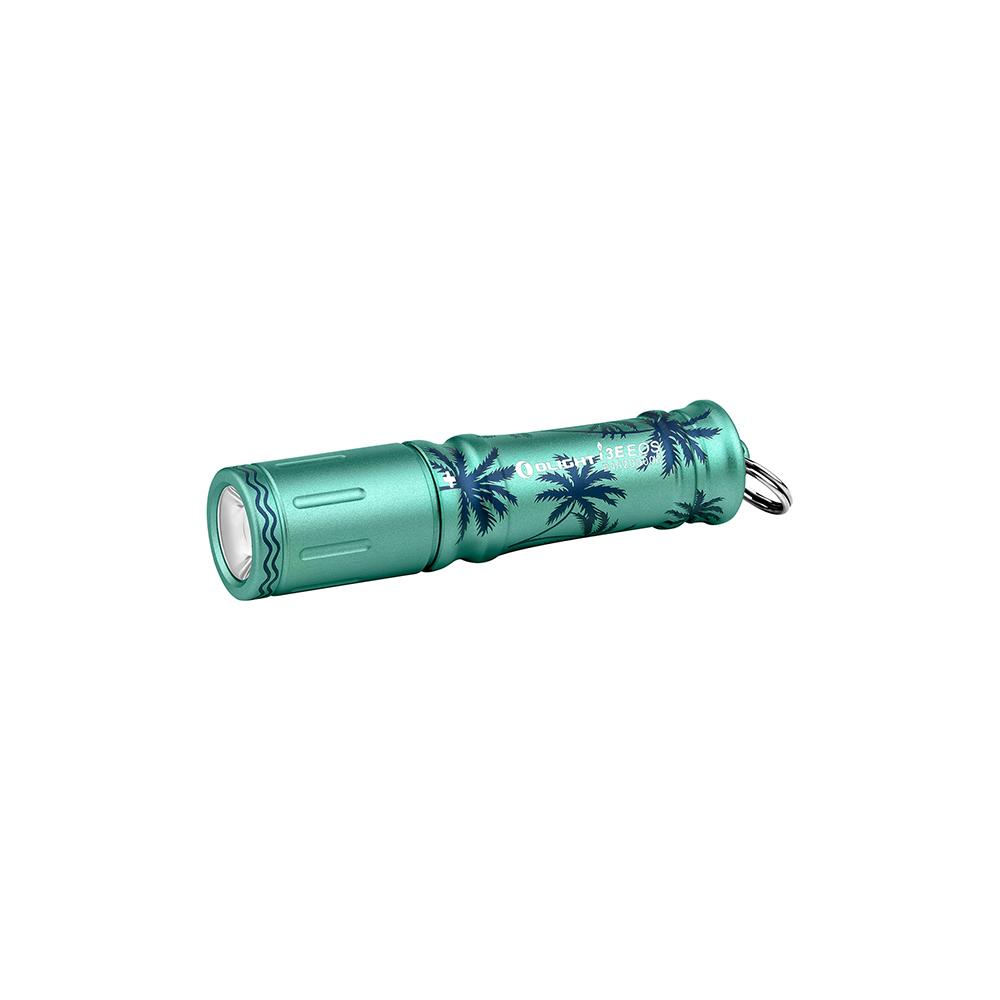
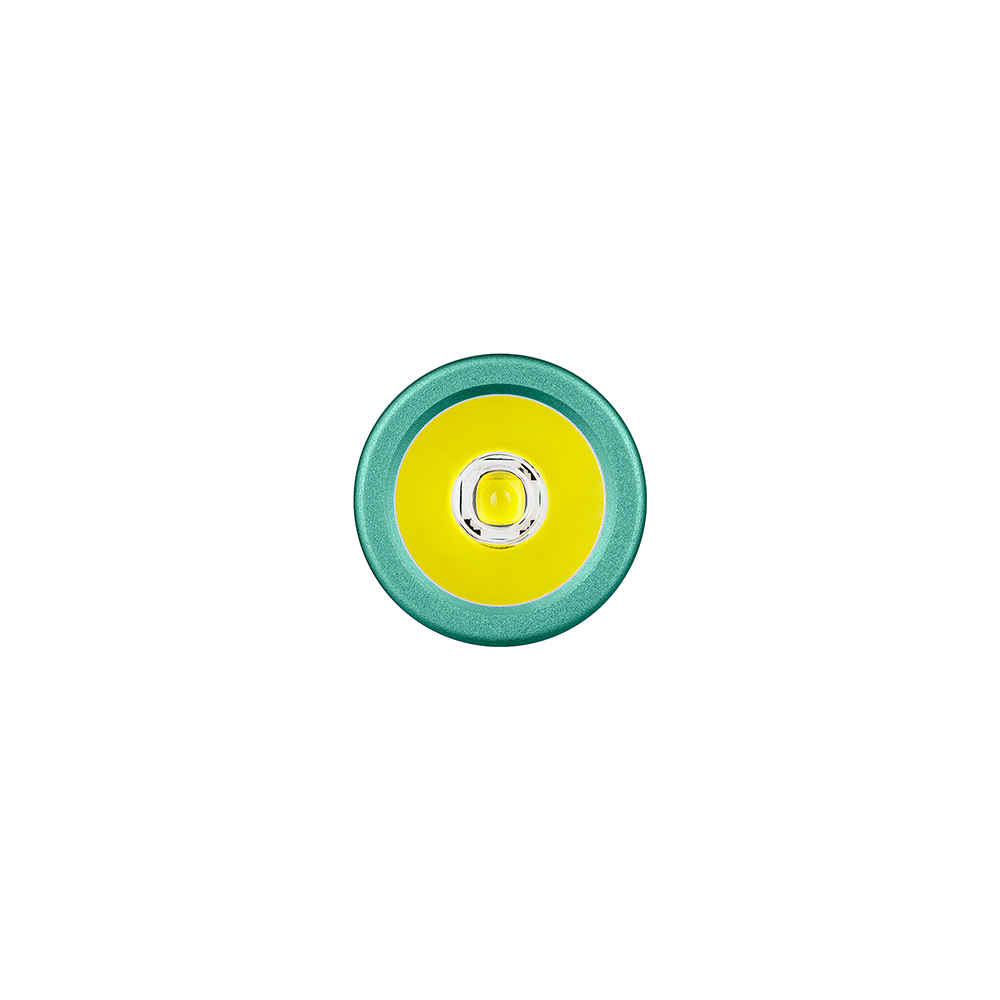
Official i3E EOS Summer Palm gallery detail: the front view shows the LED and teal rim; it does not identify battery compatibility.
A replaceable cell can be practical for a simple light, but it also creates a small maintenance task. Someone has to keep the right cell on hand, recognize when it needs attention, install it correctly, and store the light as directed. If nobody in the household wants that job, a different model or a second complete light may be the better fit.
Baton 4 Pro: recharge the device, not a loose replacement cell
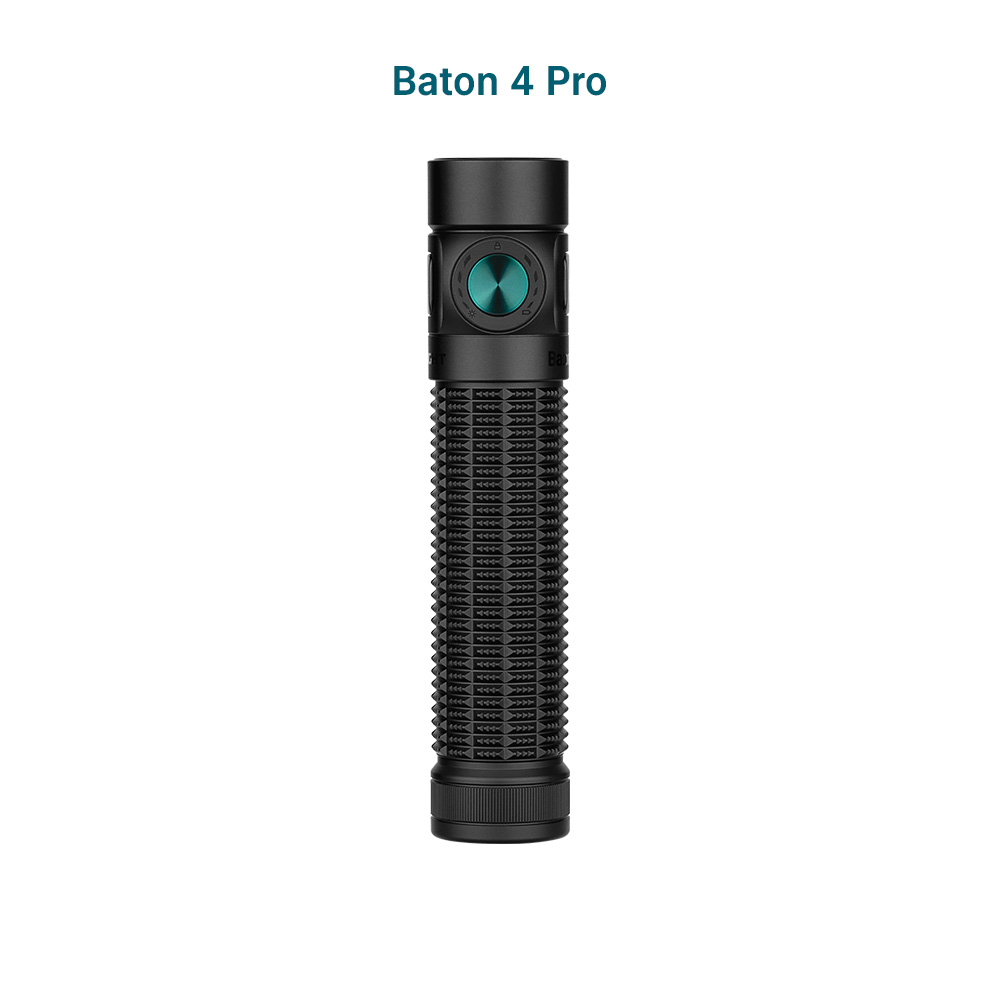
Baton 4 Pro illustrates a different power workflow. The U.S. product information identifies a custom 3,500 mAh, 3.6 V 18650 battery. Its applicable manual specifies the proprietary battery, USB-C and MCC 3 charging methods, and says not to remove the battery for charging. This is a recharge-the-light route with model-specific charging hardware and instructions. The 18650 form factor is not a general invitation to install a battery from another light.
The official side-switch photograph below shows the standard Black Cool White configuration. A buyer choosing this model should plan for the charging methods named in its documentation and keep the appropriate charging accessory available. If a USB-C route is part of the routine, identify the correct cable and compatible power arrangement before the light is needed. Do not infer that a generic charger is permitted merely because a port or connector fits.
The two examples are not a contest. The i3E EOS makes the cell an owner-managed item and lists multiple battery options. Baton 4 Pro puts the charging route in the light and specifies how the proprietary battery is handled. Those are different arrangements with different chores. A buyer should compare them against the routine the light will actually follow, not against a generic statement that removable batteries are always serviceable or that built-in charging always wins.
A practical comparison of the work each route creates
A useful comparison includes more than the purchase moment. Count the actions a person must remember: finding a charger, returning the light, checking a spare cell, protecting contacts, and teaching another user the right method. These are real tasks even when they do not appear on a product box. The route with fewer steps for your routine may be preferable, provided it follows the model’s instructions.
| Planning question | Recharge the light | Replace a listed cell | Use a second ready light |
|---|---|---|---|
| What must be available? | Exact charging cable, dock, or charger and a suitable power source | Correct cell type, chemistry, orientation, and safe storage | Another complete light with known readiness |
| What is the main handoff? | Return the light to a charging point | Identify the cell and install it correctly | Locate and assign the second light |
| What can go wrong? | The light is away from its charger or the wrong accessory is used | A lookalike cell is assumed compatible or contacts are exposed | Both lights are stored together in an unknown state |
| Who maintains the plan? | The person who uses and returns the light | The person responsible for the exact cell and storage | The household or team that assigns both lights |
The table is intentionally about workflow, not performance. It does not state that one route lasts longer, has a specific number of cycles, or produces a fixed amount of light under all conditions. Those claims would require model-specific evidence and, for some comparisons, controlled tests. A buyer who needs runtime details should read the exact model’s mode table and treat each mode and endpoint separately.
Make the charger route easy to repeat
If a light is charged in the same place, remove friction from the routine without changing the approved setup. Keep the matching cable or dock nearby, use a stable surface, and avoid placing the charging area where it will be buried under bags or used as a general cable pile. After charging, put the light where the next user can find it. If several devices use different chargers, label them by model rather than assuming that a connector that fits is electrically suitable.
Before travel, confirm the charger and cable are in the bag, not just that the light is. If the light’s manual specifies an adapter or charging accessory, follow that instruction. Do not leave an unattended charging setup in a location where heat, moisture, or physical damage is likely. The exact product manual and charger guidance take priority over an internet shortcut or a generic “USB is USB” assumption.
For a team or shared workspace, define a return point and a simple owner. A sign-out card can state who took the light and whether it must be returned charged. That is not a battery technology feature; it is a way to make the chosen technology useful. A charging routine that nobody follows is not a dependable recovery plan, no matter how convenient it looked when the light was purchased.
Make a replaceable-cell route precise
A cell plan should name the light and its permitted battery, not just a shape. For example, “i3E EOS: AAA alkaline or NiMH/L92 per manual” is more useful than “small AAA flashlight.” If the light is shared, place that note near the cell storage. When a model specifies a protected 10440 with a maximum length, that note belongs to that exact model; it must not be copied onto another light that happens to use a similarly sized cell.
Before replacement, inspect the cell and light for visible damage, contamination, or leakage. Follow the manual’s polarity diagram and keep metal objects away from exposed terminals. If a battery is swollen, leaking, unusually hot, or otherwise visibly damaged, do not attempt to use it. Follow local battery collection guidance and the relevant product instructions. A replaceable-cell design is useful only when the person handling it can identify what belongs in the device.
Do not mix cells or combine chemistries unless the manual expressly permits the arrangement. Do not install a cell whose label is unreadable or whose history is unknown. A pile of loose batteries is not a backup system. A labeled, protected spare with a clear model assignment is. If there is uncertainty, use another complete ready light until the exact manual and battery are confirmed.
Compare costs without pretending to know battery life
Cost comparisons can be useful, but they are easy to make misleading. A five-year total depends on the device price, cell price, charger cost, how often the light is used, how it is stored, and how long the product and cells remain serviceable. An article cannot turn those unknowns into a universal winner by choosing an assumed cycle count or replacement interval. A more honest tool is a formula readers can fill with their own dated costs.
For a replaceable primary-cell route, estimate:
Annual cell spending = cells used per year × price per cell.
For a rechargeable-cell route, estimate:
First-year setup = compatible reusable cells + a suitable charger; later cost = any documented replacements plus charging-related costs.
For a light recharged as a device, use the light’s actual price and charging arrangement, then compare the role it fills with the alternative. Do not attribute a product’s entire purchase price to its battery. Do not assume a cell lasts a particular number of cycles unless a credible exact source supports that condition and figure.
Here is a purely hypothetical arithmetic example. Suppose a household assumes it would use 24 primary AAA cells in one year and assumes each costs $0.75. The arithmetic is 24 × $0.75 = $18. Suppose the same household assumes a reusable NiMH setup costs $5 for two compatible cells and $15 for a suitable charger. The initial assumed setup is $20 before electricity or any future replacement. Under those assumptions, 27 primary cells are the first whole-cell count to exceed $20, because 27 × $0.75 = $20.25. This is a spending-threshold example, not a claim about current retail prices, actual use, battery lifespan, or the number of recharge cycles available.
The assumptions are deliberately visible. If your use is six cells per year, not 24, the threshold changes. If a compatible charger is already owned, the initial setup changes. If the exact model does not list NiMH, the calculation is irrelevant because that chemistry is not an approved option. If the model uses a proprietary battery, the AAA example does not apply at all. A correct cost calculation begins with technical compatibility, then uses real local costs and the user’s own pattern.
An energy comparison can also leave out time and reliability. Someone may prefer the small chore of charging because it fits a daily routine. Another person may prefer storing a correctly labeled spare because the light is used irregularly. Both are legitimate preferences. The number in a spreadsheet cannot tell you whether the charger is at the wrong building when the outage starts, whether a guest can identify the spare, or whether the light is available in the place where it is needed.
Charging and battery safety are model-specific
Use the manufacturer-provided or manufacturer-specified charger and charging arrangement for the product. The U.S. Fire Administration’s lithium-ion safety handout advises following the manufacturer’s charging instructions and using the charger supplied with the device. That advice supports a careful charging routine; it does not certify an arbitrary cable, adapter, or third-party cell for a particular Olight product. The exact manual still governs the product-specific method.
A charging area should be stable, dry, and away from materials that could be damaged if a device overheats. Keep the device and cable from being crushed or pulled. If the light or battery becomes damaged, behaves unusually, or shows signs of overheating, stop using it and follow the manufacturer’s safety guidance. Do not disassemble a proprietary battery pack to turn it into a replaceable-cell light. A product’s charging convenience depends on the complete designed system, not on a connector considered in isolation.
For replaceable cells, protect terminals from contact with coins, keys, or other conductive objects. Store spare cells in a suitable case or package, keep different types identified, and follow the exact battery maker’s and flashlight maker’s instructions. Do not carry exposed cells in the same pocket as loose metal. If a cell is damaged or leaking, do not put it back in the light and do not improvise a repair.
At end of life, lithium-ion batteries require appropriate collection. The U.S. Environmental Protection Agency says used lithium-ion batteries should not go in household trash or curbside recycling and directs users to proper collection options. Tape or otherwise protect terminals as local guidance directs, and use an appropriate collection site. This disposal advice is about used lithium-ion batteries; it should not be stretched into a general claim about every battery chemistry or local program.
Add a second light when the task cannot wait
A backup light is a simple way to avoid turning a power source into a single point of failure. It can be a second rechargeable light, a replaceable-cell light, or another appropriate model already in the home or work kit. The important parts are that the backup is accessible, its power method is understood, and someone checks it according to its instructions. The backup does not need to match the primary light if the two have different roles and their operation is clear.
For example, a rechargeable light can stay with a daily work bag while a small replaceable-cell light lives in a known drawer. That arrangement gives the user two recovery paths. It does not prove the second light is longer-lasting, brighter, or more dependable by itself. It simply means the first light can be placed on its charger without leaving the household with no light at all. Conversely, two lights on the same uncharged shelf may share the same failure: neither is ready when someone reaches for it.
Think about handoffs. If a person borrows the light, can they return it to the correct place? If one light lives in the car, could temperature or storage conditions conflict with its instructions? If a light is used by someone who cannot comfortably operate its control or replace its cell, is another model or helper needed? These are practical questions, not extra features. They make the equipment easier to use as intended.
The previously published 21700 vs 18650 battery-platform guide addresses how to identify a compatible flashlight battery platform. It belongs earlier in the decision: determine the exact battery and light pairing before considering a spare. Do not treat a shared number or similar cylindrical appearance as proof of interchangeability. A reader ready to plan a household outage can also see Olight’s Gulf Coast hurricane-season lighting plan, which focuses on a different problem: organizing light and supplies in humid homes. This article stays with the narrower task of restoring power to a particular light.
Keep a backup ready without overcomplicating the routine
Readiness is a habit, not a battery chemistry. Pick a repeatable day or event to check the light: when returning from a trip, after using it for a project, or during another household supply check. Confirm the controls work as expected, the lens and contacts are clean and dry, and the power source has been handled according to the exact manual. Do not invent a fixed calendar interval for every product. The product maker’s storage instructions and actual use should determine the check.
For rechargeable devices, use the specified charging method and return the light to a known location afterward. For replaceable-cell devices, record the exact permitted cell and avoid substituting a battery merely because it fits. If the light uses a proprietary battery, treat the charger and battery as part of the designed product route. For either style, place a second light where it can cover the task while the primary one is being charged or inspected.
A shared household can make the procedure accessible by keeping the instructions short. One line can name the light and its power route. Another can say where the spare or charger belongs. A third can identify who checks the equipment. The aim is not to create a complex catalog; it is to remove decisions that would otherwise be made in the dark. If the model changes, update the note rather than leaving a battery label from the old device in place.
When storing a replaceable-cell model for a long period, follow its manual. The i3E EOS manual says to remove the cell for a long storage period to help prevent leakage. Baton 4 Pro’s manual separately says not to remove its proprietary battery for charging, and to remove it for long-term storage. Those directions apply to different models and situations. Read the relevant manual before deciding whether to leave a cell installed, charge the device, or store its battery separately.
What is the downside of rechargeable batteries?
Rechargeable options depend on a compatible charging route, enough time and access to use it, and a way to keep the correct charger with the light. Some rechargeable cells can be removed; others are proprietary or are not intended for user removal. If the device is away from power when its charge is spent, a correctly identified second light or an exact approved spare-cell route may be more practical than guessing at a substitute.
The tradeoff is manageable when it is planned. A user who charges a light after returning home may appreciate the repeatable routine. A worker who has no charging opportunity during a shift may carry a second light or use a model whose manual permits an exact replacement cell. Neither answer applies to every product. Check whether the cell is removable, which chemistry is listed, and what charging method the manual specifies.
Why does it say not to use rechargeable batteries?
A warning usually applies to a particular device, chemistry, or charging arrangement. Battery size alone does not establish compatibility: voltage, chemistry, protection circuitry, length, contacts, and the product’s own design can matter. Follow the exact flashlight manual and use only the battery types it lists. A recommendation for one model must not be copied to another model with a similar-looking compartment.
For instance, the i3E EOS documentation lists AAA alkaline and NiMH/L92. That does not mean all AAA lights accept every rechargeable cell. If a product’s warning is unclear or the exact manual cannot be found, use another confirmed light until the model and permitted battery are identified.
What is the best rechargeable flashlight for home use?
The best fit is the model whose approved charging method matches the home’s routine and whose controls and light are easy for the intended users to access. Baton 4 Pro is one documented rechargeable example: its manual specifies USB-C/MCC charging and a proprietary battery that should not be removed for charging. For a different room, user, or charging setup, compare exact U.S. models and manuals rather than treating one product as a universal home answer.
A home plan can assign a rechargeable light to the place where charging is available and keep another ready light elsewhere. Check the location, users, and task before choosing the model. Someone who wants a replaceable cell may prefer a different exact light whose manual permits it; someone who wants a USB-C workflow should verify that the product’s official instructions support that method. A product page and manual are more useful than a generic ranking detached from the household’s needs.
Frequently asked questions
A one-minute decision checklist
Before choosing or packing a light, answer these questions:
- What exact model is it? Use the printed model or product record, not a guess from appearance.
- What power methods does its manual allow? Separate user-replaceable cells from device charging.
- Where will the light be when it needs power? Identify the real outlet, cable, charger, or spare cell.
- Who will restore it? Make the task clear if equipment is shared.
- What covers the interruption? Keep a second ready light if the primary light cannot be unavailable.
- How are used batteries handled? Follow local collection guidance and protect terminals as directed.
If the answers are simple, the power plan is probably understandable by someone other than the person who bought the light. If the plan depends on a battery guessed from size, an unverified cable, or a charger that will be somewhere else, resolve that gap before relying on it. The best comparison is the one that turns the model’s actual instructions into a routine people can follow.
Bottom line: match the exact model to a repeatable power route
Rechargeable and replaceable are not competing labels for the same feature. They describe different parts of the power system. Choose a rechargeable route when the specified charging method fits the place and timing of use. Choose a replaceable-cell route only when the exact model lists the cell and a safe spare can be managed. When neither route can be completed at the moment it is needed, a second ready light keeps the task moving.
That answer is more durable than a claim that one battery type is always cheaper, lasts longer, or belongs in every emergency kit. Identify the model, follow its instructions, make the recovery point obvious, and choose a backup arrangement that the next user can understand. Olight’s exact product pages and manuals provide the model-specific details; the plan turns those details into useful light when it matters.
Changelog
- November 19, 2026: Product information and buying guidance reviewed.