Olight makes some of the flashlights discussed here. Olight specs and regular prices come from its US product pages and user manuals as of September 2026. Every setting and stop figure below is a calculated starting point to adjust on site, not a measured result.
⚡ TL;DR
Good light painting camera settings start in manual mode at f/8, ISO 100 to 400 and a 15 to 30 second or Bulb exposure, with focus set by hand where the light will be. When a frame comes out black or the trails blow out, change the flashlight level or your hand speed before you touch ISO. Those two controls move the trail in bigger steps.
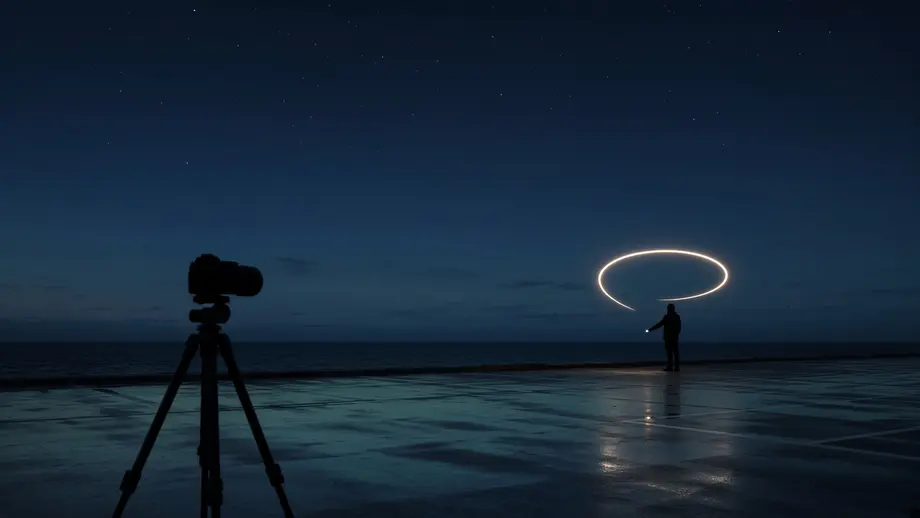
Most first sessions go the same way: one frame is black, the next is a white smear. Each frame holds two exposures, the ambient scene and the moving light. This guide keeps them apart and shows the stop math behind each fix.
This symptom table lists the light painting camera settings problems beginners hit most, in order of how often the first fix solves them.
| Symptom | Most likely cause | First fix | Second fix |
|---|---|---|---|
| Trails are pure white and fat | Flashlight level too high for a light aimed at the lens | Drop one or more flashlight levels | Move faster, or stop down from f/8 to f/11 |
| Trails are thin and dim | Light level too low, or hand moving too fast | Move slower, or raise one flashlight level | Open from f/8 to f/5.6 |
| Background is black, but you wanted sky or buildings | Shutter time too short for the ambient light | Lengthen the shutter or use Bulb | Raise ISO, after a test shot confirms the ratio |
| Background is gray or orange and washed out | Shutter too long under streetlights or skyglow | Shorten the shutter to 10 seconds or less | Move to a darker site |
| Whole frame is soft | Autofocus hunted in the dark | Focus with a light on the subject, then switch to manual focus | Magnify live view to check |
| Trail is dotted or dashed | Strobe mode, a low battery, or a half-pressed momentary switch | Use a steady mode on a charged light | Check the switch technique |
📋 Table of Contents
- 1. Quick Answer: What Are the Best Light Painting Camera Settings?
- 2. How Do Shutter, Aperture and ISO Work in Light Painting?
- 3. How to Shoot a Light Painting Photo?
- 4. Light Painting Camera Settings by Scene: Air Drawing, Objects and People
- 5. Which Flashlight Level Works Best for Light Painting?
- 6. How Do You Focus in the Dark for Light Painting?
- 7. Why Are My Light Painting Trails Broken or Dotted?
- 8. Is ISO 400 Good for Low Light?
- 9. Common Mistake: Raising ISO First
- 10. What Are the Best Settings for Shooting Light and Airy Images?
- 11. Light Painting Safety: Sites, Parks and Keeping Light Out of Eyes
- 12. Long Exposure Light Painting Gear, and When the Problem Is the Gear
- 13. Your Light Painting Photography Settings Checklist
- 14. FAQ
Quick Answer: What Are the Best Light Painting Camera Settings?
Start at f/8 and ISO 400 with a 30 second exposure, the starting point Nikon USA's light painting tutorial gives. Use ISO 100 when the light points straight at the lens. Put the camera on a tripod in manual (M) or Bulb (B) mode, and focus by hand. Then judge the trail on the LCD and change the flashlight level, not ISO, as your first correction.
Two camera makers publish nearly the same numbers. Nikon's light painting tutorial quotes photographer Dave Black: "Here's a good starting point for your experiments: 30 seconds, f/8, ISO 400. Not a rule, just a guideline." Canon Australia's DSLR light painting guide says, "Set your aperture to f/8 with a 400 ISO," and starts at a one second exposure for simple symbols.
Any steady light can paint. Among Olight's flashlights and EDC flashlights, look for very low modes, momentary switches and colored LEDs.
How Do Shutter, Aperture and ISO Work in Light Painting?
In light painting, aperture and ISO set how bright the moving light records, while shutter time sets how bright the ambient scene records. Amateur Photographer puts it plainly: "shutter speed has no impact on how much light from a moving source reaches the sensor – it only affects how long the trail might be." So you pick the aperture for the light, then pick the shutter for the background.
Canon Europe's exposure guide calls aperture, shutter speed and ISO the exposure triangle. Harding University's aperture lesson gives the unit: "if I change aperture from f/11 to f/8, f/8 allows twice the light in as f/11." One doubling or halving is one stop.
Amateur Photographer's light painting guide shows the ambient side of the rule: "On paper, settings of ISO 200, f/4 and 2 minutes would give the same ambient brightness as ISO 200, f/8 and 8 minutes." That is reciprocity: two stops less aperture, four times the time. The moving light does not follow that trade, because each point of a trail is lit only while the light passes it.
This table shows what each change does, in stops, to the trail and to the background.
| Change | Effect on the moving trail | Effect on the ambient background | Basis |
|---|---|---|---|
| ISO 100 to ISO 400 | +2 stops | +2 stops | ISO doubles twice (100 x 2 x 2) |
| f/8 to f/11 | -0.92 stop (2 x log2(11/8)) | -0.92 stop | Light through the lens scales with 1/N squared |
| f/8 to f/5.6 | +1.03 stops (2 x log2(8/5.6)) | +1.03 stops | Same rule |
| Shutter 15 s to 30 s | No change | +1 stop | Amateur Photographer on moving sources |
| Hand speed halved | +1 stop (each point is lit twice as long) | No change | Dwell time doubles |
| Flashlight 60 lm to 12 lm | -2.32 stops (log2(60/12)) | No change, unless the light spills on the scene | Assumes the beam shape stays the same across modes |
| Colored gel added | -1 to -2 stops | No change | Amateur Photographer: "Expect 1-2 stops of light loss" |
ISO moves the trail and the background together; the flashlight level and your hand speed move only the trail.
How to Shoot a Light Painting Photo?
To shoot a light painting photo, put the camera on a tripod in a dark place, set manual or Bulb mode at f/8 and ISO 400, and focus by hand where the light will be. Open the shutter with a remote, move a low, steady flashlight through the frame, then review the frame and change one control at a time.
These eight steps cover a first session from setup to review.
- Scout the site in daylight and mark where you will stand.
- Mount the camera on a tripod and attach a remote release.
- Set the mode dial to M or B, ISO 400 and f/8, and turn on long exposure noise reduction if you have time for it.
- Light the subject, focus with autofocus, then switch the lens or camera to manual focus.
- Set a white balance: Daylight, or a Kelvin value near your flashlight's rated color temperature.
- Take a test frame with no painting to see how bright the ambient scene gets.
- Open the shutter, walk into position and paint with a low, steady flashlight level, keeping the light moving.
- Review the frame: fix trail brightness with the flashlight level or hand speed, and background brightness with the shutter time.
Amateur Photographer says a cable release "is strongly recommended, even if you don't plan to shoot beyond the 30 seconds that most cameras can manage without one." Canon's EOS R8 manual on bulb exposures recommends "a tripod and the bulb timer."
Noise reduction sets your pace. Canon's EOS R8 page on long exposure noise reduction warns that "noise reduction after you shoot may take as long as exposure for the shot." A 30 second frame plus up to 30 seconds of processing is up to 60 seconds, or at most 3,600 / 60 = 60 frames an hour. With it off, the ceiling is 3,600 / 30 = 120 frames. Nikon notes that Dave Black "always activates Long Exposure Noise Reduction."
For white balance, Canon's EOS R8 white balance page lists Daylight at about 5200 K and says color temperature "can be set from approx. 2500K to 10000K in 100K increments." Olight rates the i3T 2 EOS at 5,700K~6,700K, and the Marauder Mini user manual lists "CCT: 5500~6000K". The midpoints are 6,200 K and 5,750 K, so try 6200 K or 5800 K first.
Light Painting Camera Settings by Scene: Air Drawing, Objects and People
Light painting camera settings change with the scene. Drawing toward the lens needs the least light, so start at ISO 100 and f/8 with the flashlight on its lowest mode. Painting an object needs Nikon's ISO 400, f/8 and 30 seconds with a moving, off-camera beam. People need shorter frames and the face painted first. The table gives a starting point for each scene.
This table sets starting light painting photography settings for each scene. Adjust on site, one control at a time.
| Scene | Mode and shutter | Aperture | ISO | Flashlight level to start | Why this start |
|---|---|---|---|---|---|
| Drawing words or shapes in the air, dark site | Bulb, or 15 to 30 s | f/8 | 100 | 0.5 to 12 lm, aimed at the lens | A beam aimed into the lens needs little output; ISO 100 is 2 stops below the makers' ISO 400 |
| Painting an object (car, tree, tent) | 30 s or Bulb | f/8 | 400 | 60 to 400 lm, kept moving from off to one side | Nikon's starting point; light falls on the subject, not into the lens |
| Person in the scene | 10 to 30 s | f/5.6 to f/8 | 400 | 12 to 60 lm, from the side | Shorter frames mean less time to hold still |
| Urban lot with streetlights | 10 s or less | f/8 to f/11 | 100 to 200 | Brighter levels to compete with the ambient | Amateur Photographer: 10 s or less gives a dark background in all but the brightest places; test first |
| Rural site with a moonlit or starry background | Set by a high-ISO test frame | f/5.6 to f/8 | 400 to 1600 | Low, so the trail matches the dim scene | Ambient needs time; the trail does not |
For air drawing, letters read backward to the camera, so practice writing them mirrored. For objects, Nikon's tutorial gives Dave Black's rule: "you have to move the flashlight; you can't just point it and hold it." He adds that "Straight-on light is flat," so paint from off to one side. For people, Nikon's advice is to "paint their faces first because that's the most likely part of the body to move during a long exposure." Seat your subject, and never aim the beam into their eyes.
Which Flashlight Level Works Best for Light Painting?
For light aimed at the lens, a low mode usually beats a high one. On the Olight Baton 4, the step from Moonlight 0.5 lumens to Low 12 lumens is 4.58 stops, and Low to Medium 60 lumens is another 2.32 stops. Going from ISO 100 to 400 moves only 2 stops. Pick the flashlight level first, then fine-tune with aperture and ISO.
This table converts each light's output steps into stops, the unit your camera uses: log2 of the ratio of Olight's rated lumens, not measured. It assumes the beam shape stays the same from mode to mode, since Olight does not publish candela for each mode.
| Light and level change (Olight ratings) | Output ratio | Stops |
|---|---|---|
| Baton 4: Moon 0.5 lm to Low 12 lm | 24 | 4.58 |
| Baton 4: Low 12 lm to Med 60 lm | 5 | 2.32 |
| Baton 4: Med 60 lm to High 600 lm | 10 | 3.32 |
| i3T 2 EOS: Low 5 lm to High 200 lm | 40 | 5.32 |
| Marauder Mini floodlight: each step from L1 100 lm to L6 3,200 lm | 2 per step | 1.00 per step |
The Marauder Mini floodlight row is the notable one. Olight lists its floodlight levels as 100, 200, 400, 800, 1,600 and 3,200 lumens, so each click of the rotary knob from L1 to L6 is exactly one stop. That makes the knob work like an exposure dial. If a gel costs you the 1 to 2 stops Amateur Photographer describes, turning from L3 (400 lm) to L5 (1,600 lm) adds log2(1,600 / 400) = 2 stops back.
Step-down: why trails fade during a session
Some levels drop after a few minutes. Plan around the first stage length, not the peak. These drops, from Olight's runtime tables, are shown in stops.
| Level (Olight rating) | First stage | Next stage | Drop |
|---|---|---|---|
| Baton 4 Turbo | 1,300 lm for 1.5 min | 600 lm | 1.12 stops |
| Baton 4 High | 600 lm for 7 min | 300 lm | 1.00 stop |
| i3T 2 EOS High | 200 lm for 7 min | 100 lm | 1.00 stop |
| Marauder Mini floodlight L6 | 3,200 lm for 10 min | 1,300 lm | 1.30 stops |
| Baton 4 Med | 60 lm for 8 hours | None listed | No drop |
A trail one stop darker after minute 7 is the light, not your settings. Pick levels that outlast your session: the Baton 4 at Med or below, or the Marauder Mini floodlight at L5 or below. Our guide to the thermal step down flashlight behavior explains why lights reduce output as they heat.
Olight Baton 4: the low-mode pen
The Olight Baton 4 EDC flashlight ($54.99, regular price, September 2026) is the easiest of the three for writing into the lens because its floor is so low. Olight rates it at Turbo 1,300~600~300 lumens (1.5 + 2.5 + 73 minutes), High 600~300~60 lumens (7 + 72 + 16 minutes), Med 60 lumens for 8 hours, Low 12 lumens for 35 hours and Moon 0.5 lumens for 30 days. It weighs 52.5 g with battery.
The manual says "Moonlight, Low, Medium, and High modes will be memorized when turned off," so the light returns at the same level frame after frame. The limits: its user manual lists no momentary-on function, so gaps between letters need a click off and on, and if you set its 3 or 9 minute auto shut-off, it can end a long Bulb frame early.
Olight i3T 2 EOS: the momentary-switch pen
The Olight i3T 2 EOS flashlight ($19.99, regular price, September 2026) has the feature letters need most: a tail switch that works like a pen tip. The user manual says, "Press it slightly to turn it on momentarily, and release it to turn it off." Olight rates it at High 200~100 lumens (7 + 28 minutes) and Low 5 lumens for 21 hours on one AAA, with a 5,700K~6,700K LED. The limit is two levels only, so fine control has to come from aperture and hand speed.
Olight Marauder Mini: the object painter with color
The Olight Marauder Mini RGB flashlight ($199.99, regular price, September 2026) suits painting cars, trees and buildings. Olight lists a 7,000 lumen floodlight, a seven-level rotary knob and red, green and blue LEDs (red 50 to 200 lm, green 100 to 220 lm, blue 55 to 120 lm). It is the wrong tool for writing into the lens: its lowest white level is 50 lm (spotlight), 6.64 stops above the Baton 4's Moon mode, and it weighs 462 g.
How Do You Focus in the Dark for Light Painting?
To focus in the dark, light the spot where the painting will happen, let autofocus lock on it, then switch to manual focus so the camera cannot refocus during the exposure. Nikon describes Dave Black's method: he uses autofocus "to get his subject sharp, then turn it off before he begins lightpainting." For air drawing, have a helper hold a lit flashlight where you will stand.
Amateur Photographer adds that "In most cases you'll need to switch off the camera's AF." Canon UK's beginners' guide points to focus peaking, "a visual aid that places a coloured highlight on in-focus edges," for "shooting images at night."
Tip: Put a strip of tape across the focus ring once it is set. A bumped ring is a common cause of a soft frame late in the night.
Why Are My Light Painting Trails Broken or Dotted?
Broken trails usually have one of three causes: a strobe mode, a battery near empty, or a momentary switch pressed unevenly. Strobe is the easiest to confirm, because Olight publishes its rate: 13 Hz on both the Baton 4 and the Marauder Mini. A light flashing 13 times a second draws one dot every 1/13 of a second.
Dot spacing equals hand speed divided by flash rate. This table uses Olight's rated 13 Hz strobe; the hand speeds are sample inputs, not measurements.
| Hand speed | Spacing between dots (speed / 13 Hz) | Dots in a 3 second stroke (3 x 13) |
|---|---|---|
| 0.5 m/s | 0.5 / 13 = 0.038 m, about 3.8 cm | 39 |
| 1 m/s | 1 / 13 = 0.077 m, about 7.7 cm | 39 |
| 2 m/s | 2 / 13 = 0.154 m, about 15.4 cm | 39 |
The formula also works in reverse: if a steady mode leaves evenly spaced gaps, divide your estimated hand speed by the gap size to estimate the flicker rate.
Low batteries are the next suspect. The i3T 2 EOS and Marauder Mini manuals both say, "It is normal that the light flickers when the battery is close to running out." On the i3T 2 EOS, an uneven thumb on the momentary switch can also leave stray gaps.
Warning: Strobe runs at full power: 1,300 lumens on the Baton 4 and 3,200 lumens on the Marauder Mini, per Olight's specs. Never use it near people's faces. Canon's EOS R8 manual also says, "Do not point the camera toward an intense light source, such as the sun or an intense artificial light source," which "may damage the image sensor," so do not hold a high mode close to the lens.
Is ISO 400 Good for Low Light?
Yes. ISO 400 is a sensible low-light starting point for light painting on a tripod. It is the ISO both Canon Australia and Nikon USA use in their light painting starting points, and it is two stops more sensitive than ISO 100, so the same scene needs a quarter of the time. Go higher only when a test frame shows the ambient scene needs it.
Harding University's exposure lesson gives the same advice for dark frames: "If its set at 100, then try 400 or 800."
Convert a high-ISO test shot into a final exposure
Amateur Photographer suggests shooting a test frame "at a higher ISO to speed up the test shot process," then dropping the ISO and extrapolating. The formula is:
final time = test time x (test ISO / final ISO) x (final f-number / test f-number) squared
This table works three examples. Each assumes the test frame's ambient brightness looked right on the LCD.
| Test frame | Final ISO and aperture | Calculation | Final shutter time |
|---|---|---|---|
| ISO 6400, f/8, 4 s | ISO 100, f/8 | 4 x (6400 / 100) x 1 = 256 | 256 s (4 min 16 s), Bulb |
| ISO 6400, f/8, 4 s | ISO 400, f/8 | 4 x (6400 / 400) x 1 = 64 | 64 s, Bulb |
| ISO 3200, f/4, 2 s | ISO 200, f/8 | 2 x (3200 / 200) x (8 / 4) squared = 2 x 16 x 4 = 128 | 128 s (2 min 8 s), Bulb |
With noise reduction on, the ISO 100 frame can take 256 + 256 = 512 s, over eight minutes; at ISO 400 it is 64 s, or up to 128 s.
Common Mistake: Raising ISO First
Raising ISO first is the most common light painting mistake because it brightens the trail and the background together and adds noise. If the trail is too dim, slow your hand or raise the flashlight one level. If the background is too dark, lengthen the shutter. Touch ISO only when both need the same change, or when the shutter would run too long.
ISO 100 to ISO 1600 is four doublings, or 4 stops, applied to everything in the frame. If only the trail needed help, a Baton 4 change from Low 12 lm to Med 60 lm adds 2.32 stops to the trail alone, per Olight's ratings.
Mixing lights of very different power is the second mistake. Amateur Photographer warns, "It's best to use tools of similar intensity within the same exposure otherwise you'll run the risk of overwhelming your camera's dynamic range." The stops table above lets you match lights. The Baton 4 at Med (60 lm) and the i3T 2 EOS at Low (5 lm) sit log2(60 / 5) = 3.58 stops apart, while the Baton 4 at Low (12 lm) and the i3T 2 EOS at Low sit only log2(12 / 5) = 1.26 stops apart.
What Are the Best Settings for Shooting Light and Airy Images?
Light and airy images are bright, low-contrast daylight photos, the opposite of light painting. Start at a low ISO such as 100, a wide aperture, and expose brighter than the meter suggests. Canon Europe's exposure compensation guide says "If it's light, go right," and suggests "+2 to +3 stops for scenes with lots of snow or sand."
Canon Europe's exposure guide describes the look: "Increasing your exposure will brighten the shadows and produce a more modern feel." Watch the histogram so highlights do not clip.
Light Painting Safety: Sites, Parks and Keeping Light Out of Eyes
Pick a light painting site you have checked in daylight, where you are allowed to use artificial light, and where no beam can reach a driver's or a passerby's eyes. The i3T 2 EOS and Marauder Mini manuals warn, "Do not look directly at the light source or shine on the eyes, it may cause temporary blindness or permanent damage to the eyes." Keep high modes pointed at the ground or the subject, never at people.
Nikon's tutorial explains why to scout first: "Out in the wilderness there are holes in the ground, ravines, obstacles," and Black's advice is to "plot out your moves in daylight." A red light helps you read camera dials in the dark; our guide to the best red flashlight for stargazing compares red modes.
National parks set their own rules. Arches National Park's regulations page says "using artificial light sources to light up landscapes, rock formations, or other park features is prohibited. Artificial light sources may be used for personal route-finding or minimum impact camping only." Canyonlands National Park's park regulations use the same wording. Check the current regulations page of any park before a night shoot.
Safety note: The Marauder Mini warning manual adds, "Do not block the light outlet at close range, the energy emitted from the light may cause the object to burn." Do not tape a gel or diffuser directly over the lens at high levels. The same manual says, "Keep the light locked out when carrying or transporting to prevent burning accidents caused by abnormal startup." Olight lists a working temperature of 0 to 40 °C in all three manuals, so winter nights can fall outside it.
Long Exposure Light Painting Gear, and When the Problem Is the Gear
You need a tripod, a remote release, a lens you can focus manually, and a light with low, steady modes. Most problems are settings or technique; a light that flickers on a full charge is a gear question.
This table lists the gear for long exposure light painting and the reason for each item.
| Item | What it solves | Source or spec |
|---|---|---|
| Tripod | Keeps the frame still for seconds or minutes | Canon Europe: "The camera needs to stay perfectly still" |
| Remote release or bulb timer | Opens the shutter without shake; allows exposures over 30 s | Amateur Photographer; Canon EOS R8 manual |
| Low-mode flashlight | Writing toward the lens without blowout | Baton 4 Moon 0.5 lm; i3T 2 EOS Low 5 lm |
| Momentary-switch flashlight | Clean gaps between letters | i3T 2 EOS tail switch |
This table sorts common problems by where the fix lives.
| Problem | Fix it in settings or technique | Check the gear |
|---|---|---|
| Trail too bright or too dim | Flashlight level, hand speed, aperture | No |
| Background wrong | Shutter time, then ISO | No |
| Soft focus | Focus by light, then switch to manual; tape the ring | Only if the lens will not focus in daylight |
| Gaps in a steady-mode trail | Charge the battery; press the switch fully | Yes, if gaps persist on a full charge: contact Olight US customer support at cs@olightstore.com, the address in the Baton 4 user manual |
| Light turns off mid-frame | Turn off the Baton 4 auto shut-off timer | Yes, if it still shuts off without a timer set |
Your Light Painting Photography Settings Checklist
This checklist puts the light painting camera settings from this guide in the order you will need them on the night: charging and scouting first, then focus, a test frame, and a review after every painted frame.
- Charge every light and pick levels that do not step down during your session, such as Baton 4 Med or Marauder Mini floodlight L5 or below.
- Scout the site in daylight and check the park's regulations page if you are on public land.
- Tripod, remote release, manual or Bulb mode, f/8, ISO 400 (ISO 100 when writing toward the lens).
- Focus with a light on the spot, switch to manual focus and tape the ring.
- Shoot one test frame for the ambient scene, and convert it with the formula above.
- Paint with a low, moving light. Fix the trail with level or speed and the background with the shutter.
- Keep beams off faces, drivers and the lens at close range, and review each frame before changing one control.
For the math behind lux and beam intensity, see our guides on lumens to lux and candela explained.
FAQ
Changelog
- September 26, 2026: First published.