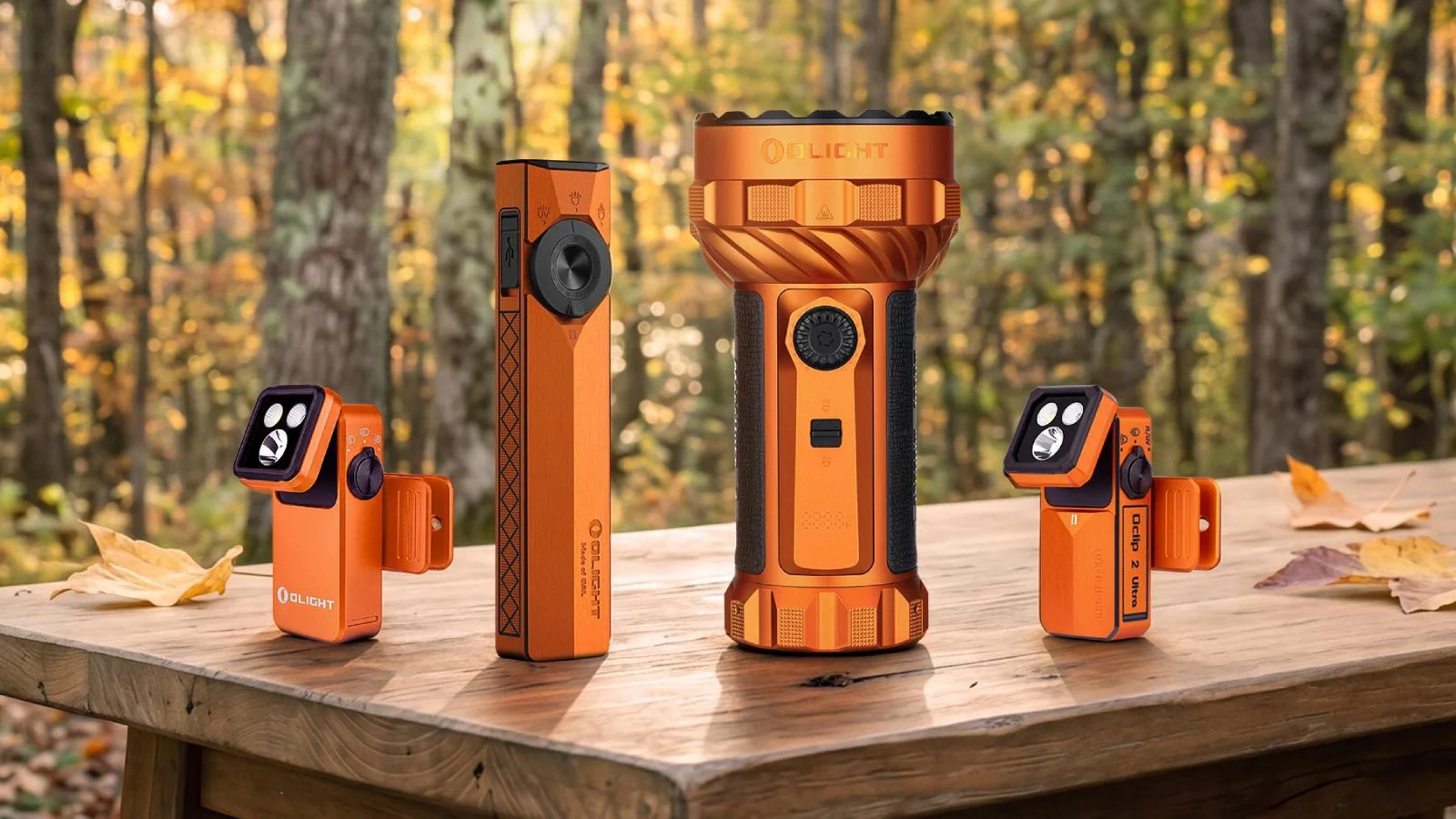
Olight sells some of the thermal imagers discussed here through its OSelect collection. Olight specs and prices come from its product pages as of September 2026; health and safety guidance comes from the FDA, AAP, CDC, NIH, CPSC and U.S. Fire Administration pages linked in each section.
⚡ TL;DR
A thermal camera for baby care is useful for one job: finding cold drafts, chilly walls and overheating chargers in the nursery. It is not a thermometer. The FDA warns that thermal imaging used the wrong way gives inaccurate body temperature readings, and the AAP says to check a baby's temperature with a thermometer. Scan the room, not the baby.
This table sums up which nursery jobs a thermal camera can do and which tool to use instead when it can't.
| Nursery job | Right tool | Key spec or standard to look for | Recommended option |
|---|---|---|---|
| Find drafts at windows, doors and outlets | Phone thermal camera attachment | 8~14 μm thermal sensor, spot and cold-spot tools, close focus | TC001 Max thermal imager |
| Find cold exterior walls and corners near the crib | Phone thermal camera attachment | Live image plus a center-spot reading | TC001 Max |
| Spot a hot charger, plug or power strip | Phone thermal camera attachment | Temperature range well above room temperature | TC001 Max (-4°F to 1,022°F range) |
| Check a baby for fever | Digital thermometer | Rectal for babies under 3 months, per the AAP | Any digital thermometer your pediatrician recommends |
| Tell if a sleeping baby is too hot | Your hand on the baby's chest | AAP and NIH overheating signs: sweating, hot chest, flushed skin | No gadget needed |
| Watch the baby overnight | A baby monitor placed safely | Camera and cord at least 3 feet from the crib, per CPSC | Not a thermal imager |
Many new parents buy a phone thermal camera for the nursery and then point it at the baby's forehead. The screen shows a number, and the number looks precise. It can make you panic over a fever that isn't there or relax when your baby really is sick. Meanwhile, the real use for the camera, finding the cold draft blowing across the crib at 3 a.m., goes unused. This guide covers both sides: why the fever reading fails, and a step-by-step nursery scan that works.
📋 Table of Contents
- 1. Why Can't a Thermal Camera Check a Baby for Fever?
- 2. How Do I Monitor My Baby's Temperature?
- 3. Where Do Nursery Drafts Come From? A Room Checklist
- 4. How to Find Nursery Drafts With a Thermal Camera, Step by Step
- 5. Where Should You Put the Crib? Placement by the Numbers
- 6. What Temperature Should a Baby's Room Be? What the AAP Says
- 7. How Do You Find an Overheating Charger or Outlet With a Thermal Camera?
- 8. Are Infrared Cameras Safe for Babies?
- 9. Can a Phone Be Used as a Thermal Camera?
- 10. Using a Thermal Camera for Baby Safety: An Action List
- 11. FAQ
Why Can't a Thermal Camera Check a Baby for Fever?
A thermal camera can't check a baby for fever because it measures skin surface temperature from a distance, and its accuracy is too wide for a fever call. The TC001 Max is rated at ±2°C or ±2% of reading, so a surface that is truly 98.6°F could display anywhere from 95.0°F to 102.2°F, and a true 100.4°F could display as low as 96.8°F. Either way, the error is bigger than the gap between normal and fever.
The FDA has spelled out the risk. In its alert on improper use of thermal imaging devices, the agency says improper use "may lead to inaccurate body temperature measurements" and that risks include "the device incorrectly detecting a normal human body temperature when a person has an elevated temperature." The FDA also says thermal imaging systems intended to measure a person's surface skin temperature are regulated by the agency as devices. The TC001 Max product page lists electrical diagnostics, HVAC inspections, leak detection and similar jobs, and says nothing about measuring people.
Four physical problems stack up when you aim a general-purpose thermal camera at a baby:
- Accuracy. The ±2°C spec is fine for spotting a hot outlet. For a fever check, it is a 7.2°F wide window around the true value.
- Skin is not core temperature. The camera reads the outer surface. A baby who just came out of a warm blanket, or a cool bath, can show a different surface number even though core temperature has not changed.
- Emissivity and reflections. Thermal cameras convert emitted infrared into a number using an emissivity setting. FLIR's guide to emissivity lists human skin at about 0.98 and notes that reflected heat from nearby objects can skew readings. If the setting, distance or background is off, the number drifts.
- Distance and aim. Even a purpose-built forehead thermometer needs care. The FDA's page on non-contact infrared thermometers tells users to hold the sensor perpendicular to the forehead, use it in a draft-free space, and follow the maker's distance.
The same FDA page gives context for why small errors matter: normal body temperature "can be within a wide range, from 97°F (36.1°C) to 99°F (37.2°C)." That whole normal range is 2°F wide. A camera with a 7.2°F error window can't sort normal from fever with any confidence.
The math below shows why a spec sheet can look impressive and still fail at fever checks. The key is the difference between seeing small temperature differences and reading an exact temperature.
| TC001 Max spec (Olight product page) | What it means | Good for drafts? | Good for fever? |
|---|---|---|---|
| ≤40mK NETD | Can show surface differences as small as 0.04°C in the image | Yes, faint cold streaks show up | No, this is sensitivity, not accuracy |
| ±2°C or ±2% of reading, the larger value | A 37°C (98.6°F) surface could read 35°C to 39°C (95.0°F to 102.2°F) | Yes, you compare spots, not exact numbers | No, the error spans the 100.4°F fever line |
| Min. focus distance 0.2 m (0.66 ft) | Sharp image as close as about 8 inches | Yes, you can get close to a window seal | Not relevant; distance and aim still add error |
| "Medical" color palette | A color scheme in the app | Just a display option | No, a palette name does not make it a medical device |
Safety note: A thermal camera is not a medical device and cannot diagnose illness. If your baby seems sick, use a digital thermometer and call your pediatrician. If your baby is 3 months or younger and has a rectal temperature of 100.4°F (38°C) or higher, the AAP says to call your pediatrician immediately.
How Do I Monitor My Baby's Temperature?
Monitor your baby's temperature with a digital thermometer, not a thermal camera. The AAP says a rectal reading is the most reliable and accurate for infants, especially babies under 3 months old, and that a rectal reading of 100.4°F (38°C) or higher is ordinarily considered a fever. For warmth during sleep, feel your baby's chest and watch for sweating or flushed skin.
The AAP's guide to fever and your baby is direct about touch-based guesses: "Feeling their forehead or skin on other parts of the body is not accurate, especially if your baby is having chills." It adds that temperature-sensitive tape or "fever strips" also are not reliable. A thermal camera image of a forehead is another version of the same guess.
The AAP's page on how to take a child's temperature ranks the methods. This table turns that guidance into a quick reference by age, with the thermal camera added so you can see where it falls.
| Method | Ages the AAP lists | Accuracy per the AAP | Notes |
|---|---|---|---|
| Rectal digital thermometer | Best reading, especially for infants under 3 months | Most accurate | Insert 1/2 inch for babies under 6 months; label it "rectal" |
| Temporal artery (forehead) thermometer | All ages | Next most accurate | Direct sun or coming in from the cold can affect the reading |
| Ear (tympanic) thermometer | 6 months and older | Accurate if done properly | Not reliable for younger babies with narrow ear canals |
| Oral digital thermometer | 4 years and older | Accurate if done properly | Wait 30 minutes after a hot or cold drink |
| Armpit (axillary) thermometer | Any age, as a screen | Least accurate | May use a lower fever cutoff |
| Thermal camera on a phone | Not a thermometer | Not listed by the AAP | Use it for the room, not the child |
The AAP also gives age-based thresholds for calling the doctor. The same fever guide says you may need to notify the doctor if your child is between 3 and 6 months and has a fever of 101°F (38.3°C) or greater, or is older than 6 months and has a temperature of 103°F (39.4°C) or higher. For babies 3 months or younger, 100.4°F rectal means call right away, "even if your baby shows no other signs or symptoms of being ill."
Tip: Keep the thermometer and the thermal camera in different places. The thermometer lives with the diapers and the pediatrician's number. The thermal camera lives with the tools. Mixing them up at 3 a.m. is how a draft checker turns into a bad fever reading.
Where Do Nursery Drafts Come From? A Room Checklist
Most nursery drafts come from gaps where different materials meet: window frames, door frames, baseboards, outlets on exterior walls and pipe or cable penetrations. The U.S. Department of Energy tells homeowners to inspect exactly these spots for air leaks. A thermal camera shows them as cold streaks or patches on a cold day, which makes a room check take minutes instead of guesswork.
The DOE's guide to home energy assessments tells homeowners to inspect "the area around electrical outlets, switch plates, windows and door frames, baseboards, attic hatches, wall or window-mounted air conditioners" and other openings. It also says that in a thermographic scan, warmer and cooler areas show up as whiter or darker areas, and that with a blower door running, air leaks "show up as black streaks in the infrared image."
This scene-by-scene table sets out what to aim at in a nursery, how close to stand and what a problem looks like. The distance column uses the TC001 Max's published 56°×42° field of view and 256 x 192 sensor.
| Nursery spot | Stand about | Frame covers (TC001 Max) | What a draft or problem looks like |
|---|---|---|---|
| Window sash, frame and sill | 2 ft | 25.5 x 18.4 in | Cold fingers spreading from a corner or along the bottom rail |
| Exterior door or hallway door | 3 ft | 38.3 x 27.6 in | Cold band along the threshold or latch side |
| Outlet or switch plate on an outside wall | 1 ft | 12.8 x 9.2 in | Cold ring or streak around the plate edge |
| Baseboard along an exterior wall | 3 ft | 38.3 x 27.6 in | Dark line where floor meets wall |
| Exterior wall and corner behind the crib | 6 ft | 76.6 x 55.3 in | Cold corner or vertical patches that are cooler than the wall center |
| Ceiling edge and attic hatch | 6 ft | 76.6 x 55.3 in | Dark patch at the hatch outline or ceiling corner |
| Radiator, heater or vent | 6 ft | 76.6 x 55.3 in | Warm plume; note how close it sits to the crib |
These frame sizes come from simple geometry: at 2 feet, each of the 256 horizontal sensor pixels covers about 0.10 inch of surface. At 10 feet, each pixel covers about 0.50 inch. A 1/8-inch gap in a window seal can blur into the background from across the room, so walk up to each spot rather than scanning from the doorway.
Note: Thermal cameras can't see through glass. As FLIR explains in its guide to what thermal imaging can and can't see through, "glass acts like a mirror for infrared radiation," so a window pane shows your own reflected heat. Read the frame, the sash seal and the sill, not the glass.
How to Find Nursery Drafts With a Thermal Camera, Step by Step
To find nursery drafts with a thermal camera, wait for a cold day, turn on your exhaust fans to pull outside air through leaks, then scan every seam slowly from about 2 feet away. Cold air shows up as dark streaks against a lighter wall. Mark each one with painter's tape, then confirm it with a sheet of paper or the back of your hand.
The steps below adapt the DOE's do-it-yourself depressurization test for a thermal camera. The DOE suggests trying it "ideally on a cool, windy day."
- Pick the right time. Choose a cold morning or evening when outside air is much cooler than the nursery. Take the baby to another room while you work so screen light and movement don't wake them.
- Close the room. Close exterior doors, windows and fireplace flues, as the DOE describes. Leave interior doors open so air can flow toward the exhaust fans.
- Depressurize the house. Turn on exhaust fans that blow air outside, such as bathroom fans and the range hood. The DOE says to turn off combustion appliances like gas furnaces and water heaters for this test, and notes you can skip that step if you don't want to turn off your furnace.
- Let the camera settle. Connect the TC001 Max to your phone and give it a few minutes in the room before trusting any spot reading.
- Scan in a fixed order. Work clockwise around the room: window, exterior wall, outlets, baseboard, door, ceiling edge. Hold the camera 1 to 3 feet from each seam.
- Compare, don't trust single numbers. Put the cold-spot marker on the suspicious area and the center-spot marker on the middle of the same wall. A leak is the spot that is clearly colder than the surface around it, not a specific number.
- Mark and photograph. Put painter's tape next to each cold streak and save a thermal photo. Before-and-after images show whether your fix worked.
- Confirm by hand. The DOE's paper test also works: close a window on a sheet of paper, and if you can pull it out without tearing it, the seal leaks.
- Seal, then rescan. Weatherstrip windows and doors, add foam gaskets behind outlet plates on exterior walls, and caulk trim gaps. Scan again on the next cold day.
Warning: Skip smoke candles and incense in a nursery. The DOE lists them for finding leaks, but a thermal camera finds the same leaks without smoke in the room where your baby sleeps. If you turned off a gas furnace or water heater for step 3, turn it back on and confirm it relights before you bring the baby back.
Shiny metal behaves like glass. FLIR notes that highly polished metals usually have an emissivity below 0.10, so an aluminum window frame may show reflected heat instead of its own temperature. The same FLIR guide suggests a fix: a piece of electrical tape has high emissivity, so stick a short strip on the metal frame, wait a minute and read the tape.
Where Should You Put the Crib? Placement by the Numbers
Put the crib against an interior wall, away from windows, window cords, heaters and corded devices. The CPSC says to move cribs away from windows and window covering cords, preferably to another wall, and to keep corded baby monitors at least 3 feet from the crib. The U.S. Fire Administration says to keep anything that can burn at least 3 feet from heat sources.
Your thermal scan adds a layer these rules don't cover: which wall in your specific room runs coldest. An exterior wall that shows a cold corner, or a window that leaks along its sill, is a poor spot even if it passes the cord and heater rules. The table below collects the distance rules from each agency, then adds the thermal camera check that goes with each one.
| Hazard near the crib | Rule and source | What to check with the thermal camera |
|---|---|---|
| Window and window covering cords | Move cribs away from windows and cords, "preferably to another wall" (CPSC window covering cord guidance) | Cold sill or frame streaks that would blow across the mattress |
| Corded baby monitor or camera | Never place corded cameras "within three feet of a crib" (CPSC baby monitor recall notice) | A warm power adapter plugged in near the crib |
| Radiator, space heater or vent | Keep anything that can burn "at least 3 feet from all heat sources" (U.S. Fire Administration heating fire safety) | How far the warm plume spreads toward the crib |
| Exterior wall | No agency distance; use your scan | Cold corners or patches behind the headboard end |
| Outlets and power strips | Don't overload outlets or power strips (U.S. Fire Administration) | Hot plugs, plates or strips under load |
The CPSC recall notice describes why the monitor rule exists. It reports a 10-month-old who strangled in the cord of a video monitor "placed on top of the crib rail," and a near-strangulation in which the camera was mounted on the wall but the child could still reach the cord. The CPSC also warns that window cord strangulation "is often silent," so a nearby adult may not notice.
Safety note: After you move furniture, check that nothing new ended up within the child's reach from the crib: cords, curtain ties, the thermal camera's USB cable or your phone charger. Unplug the thermal camera and put it away after each scan.
What Temperature Should a Baby's Room Be? What the AAP Says
The AAP's parent guide to safe sleep does not give a target nursery temperature. Its guidance focuses on preventing overheating: dress your baby in only one layer more than you're wearing, skip hats indoors, and check for sweating, a hot chest or flushed skin. Overheating can increase the risk of SIDS, so a baby who is dressed for the room matters more than a thermostat number.
These are the five safe sleep environment recommendations from the AAP, quoted as headings in its parent guide, How to Keep Your Sleeping Baby Safe: AAP Policy Explained:
- "Place your baby on their back for all naps & at night."
- "Choose a firm, flat sleep surface for sleep."
- "Share a room with your baby, but never share a bed."
- "Keep soft objects & loose bedding out of your baby's sleep area."
- "Don't let your baby get overheated."
On temperature, the AAP guide says: "In general, you should dress your baby in only one layer more than you're wearing." It also says to "Check your baby for signs of overheating such as sweating, a hot chest or flushed skin," and "Don't put a hat on your baby while indoors once you're home from the hospital." The CDC's page on helping babies sleep safely supports the AAP's 2022 recommendations and adds: "Do not cover your baby's head or allow your baby to get too hot."
The NIH's Safe to Sleep campaign, on its page about ways to reduce the risk of SIDS, explains the link: "Overheated babies are at higher risk for SIDS and heat-related death." It suggests a wearable blanket or an extra layer of clothing "to keep them warm without adding items to the sleep area."
So where does a thermal camera fit? It helps you fix the room so you don't reach for extra blankets. A cold draft on one side of the crib is the kind of problem that tempts parents to add a quilt, which the AAP lists among the soft objects to keep out of the sleep area. Seal the draft, dress the baby for the room, and let the camera confirm that the crib wall and window are no longer cold.
Tip: Put a room thermometer at crib height, not on the dresser by the door. Warm air rises and drafts pool low, so the reading at mattress level is the one that matches what your baby feels.
How Do You Find an Overheating Charger or Outlet With a Thermal Camera?
To find an overheating charger or outlet, scan every plug, adapter and power strip in the nursery while devices are charging and running, then compare each one with an identical item elsewhere in the house. A plug, outlet plate or strip that runs clearly hotter than its twin, or an outlet plate that is warm with little plugged in, needs a licensed electrician.
Nurseries collect chargers: the monitor's power adapter, a sound machine, a bottle warmer, a night light and your phone. The U.S. Fire Administration's appliance and electrical fire safety page reports an estimated 24,200 residential building electrical fires in 2021. Its outlet rules are plain: "Do not overload outlets," "Insert plugs fully into sockets," and "Replace wall outlets if plugs do not fit snugly." For a room where a baby will soon crawl, the same page adds: "Install tamper-resistant electrical outlets if you have young children."
A thermal camera turns those rules into something you can see. Use this routine once a month and whenever you add a new device:
- Load the circuit. Let the monitor, sound machine and any charging devices run for at least an hour, so their normal operating heat shows.
- Scan each plug face. Hold the camera about 1 foot from each outlet. Look for one prong side or one plug that glows warmer than the rest.
- Scan the power strip end to end. A hot spot at one socket, or at the cord entry, is a warning sign. Also check that the strip isn't buried under a rug or pinched behind the dresser.
- Compare like with like. Scan the same model of charger on a different outlet. Chargers run warm when they work; the question is whether this one runs hotter than its twin.
- Act on outliers. Unplug any adapter that runs much hotter than its twin, has a cracked case or a loose plug. Call an electrician for any outlet plate that is warm or any plug that fits loosely.
The TC001 Max's published range, -4°F to 1,022°F, covers these checks easily. Its Hot Spot marker flags the warmest point in the frame, which saves time when a power strip has six plugs in a row. For more on reading electrical hot spots under load, see our thermal camera guide for electricians.
Warning: Don't open outlet covers or touch wiring based on a thermal image. The camera tells you where to look; a licensed electrician should do the repair.
Are Infrared Cameras Safe for Babies?
A thermal camera does not shine anything at your baby: it only receives the infrared heat that every warm surface already gives off. FLIR explains that thermal cameras measure "emitted heat energy" rather than reflected light, so the sensor in a phone attachment is passive. The practical risks around a baby are cords near the crib, screen light and false reassurance.
FLIR's page on what infrared is makes the key distinction: "While visible cameras rely on reflected light, infrared cameras detect emitted energy." Everything warmer than absolute zero gives off infrared, including your baby, the wall and the radiator. The camera just reads it.
The practical risks are the same ones that apply to any electronic device in a nursery:
- Cords. Apply the CPSC's 3-foot rule for corded cameras to a phone on a charging cable too. Don't leave the phone and thermal attachment on the crib rail or dresser edge.
- Light and noise. A bright phone screen in a dark room can wake a light sleeper. Dim the screen, or do your scans while the baby naps in another room.
- False reassurance. The AAP warns against letting consumer monitoring devices "give you a false sense of security." A thermal image of a sleeping baby tells you nothing about breathing or core temperature.
If your question is about a video baby monitor with night vision, that is a different device from a thermal imager. Follow that monitor maker's instructions and the CPSC's cord distance rule.
Can a Phone Be Used as a Thermal Camera?
A standard phone camera can't produce a true thermal image, because thermal imaging needs a dedicated long-wave infrared sensor; the TC001 Max, for example, lists a spectral range of 8~14 μm. An app can't add a sensor the phone doesn't have. A plug-in attachment such as the TC001 Max adds that sensor and turns an iPhone or Android phone into a thermal camera.
FLIR notes the human eye detects only about 0.4 to 0.7 μm, and that visible cameras rely on reflected light. A phone's regular camera is built for that same visible band. The TC001 Max's 8~14 μm sensor works far beyond it, which is the hardware difference an app alone can't make up.
Here is what the TC001 Max brings to a nursery check, based on its Olight product page:
- Phone connection. Olight says it works with iOS, Android and Windows, with USB-C and Lightning adapters, and needs "no batteries, charging, or wireless pairing." It also works without removing most phone cases.
- Image quality. The native sensor is 256 x 192 (49,152 pixels) with a 25 Hz refresh rate; TOPDON's TISR processing enhances the image to 512×384.
- Dual view. A visible-light camera is combined with the thermal image, which helps you tell a cold window corner from a cold picture frame.
- Measurement tools. Center Spot, Hot Spot and Cold Spot, plus user-defined dots, lines and rectangles.
- Size and price. It measures 71 x 42 x 14 mm (2.8 x 1.6 x 0.5 inches) and costs $309.00 (regular price, September 2026).
Limits matter too. The TC001 Max depends on your phone for power and a screen, so every scan drains your phone. Its ±2°C accuracy is fine for comparing a window corner to a wall, but it isn't the right tool for any temperature you'd act on medically. And if you need a thermal device for outdoor use, such as checking the yard at night, a phone attachment is the wrong shape. The TS004 thermal imaging monocular is built for that, with a 410 m detection distance and an IP67 rating, but its product page lists no spot temperature tools, so it is a poor fit for nursery drafts or outlets. It costs $499.00 (regular price, September 2026). You can browse both in Olight's OSelect collection.
If you plan to use the same camera for whole-house work, our guide to thermal imaging cameras for HVAC work covers ducts, vents and radiant floors.
Using a Thermal Camera for Baby Safety: An Action List
Run this list once before the first cold snap and again mid-winter, with the baby out of the room. It covers every job in this guide that a thermal camera does well, plus the jobs it should never do, so you can use the camera for the room and leave the baby to the thermometer.
- Put a digital thermometer where you change diapers and save your pediatrician's number in your phone. The thermal camera never checks the baby.
- On a cold day, run the depressurization scan: exhaust fans on, clockwise around the room, 1 to 3 feet from every seam.
- Tape and photograph every cold streak, then confirm with the paper test.
- Seal windows, doors, outlet plates and baseboards, then rescan.
- Move the crib to the warmest interior wall, away from windows, cords and heat sources, with corded devices at least 3 feet away.
- Scan every charger, plug and power strip under load; call an electrician for warm outlet plates or loose plugs.
- Dress the baby in one layer more than you're wearing and check the chest, not the thermostat.
- Unplug the camera and put it away with the tools.
If your child is older and starting to use a light of their own, our guide to safe flashlights for kids covers brightness levels and adult supervision.
FAQ
Changelog
- September 21, 2026: First published. Olight specs and prices checked September 24, 2026.